
Step-by-Step Instructions to Reset Your SURE Universal Remote to Default Settings
1.Tap the 3 vertical dots in the top right corner of the screen
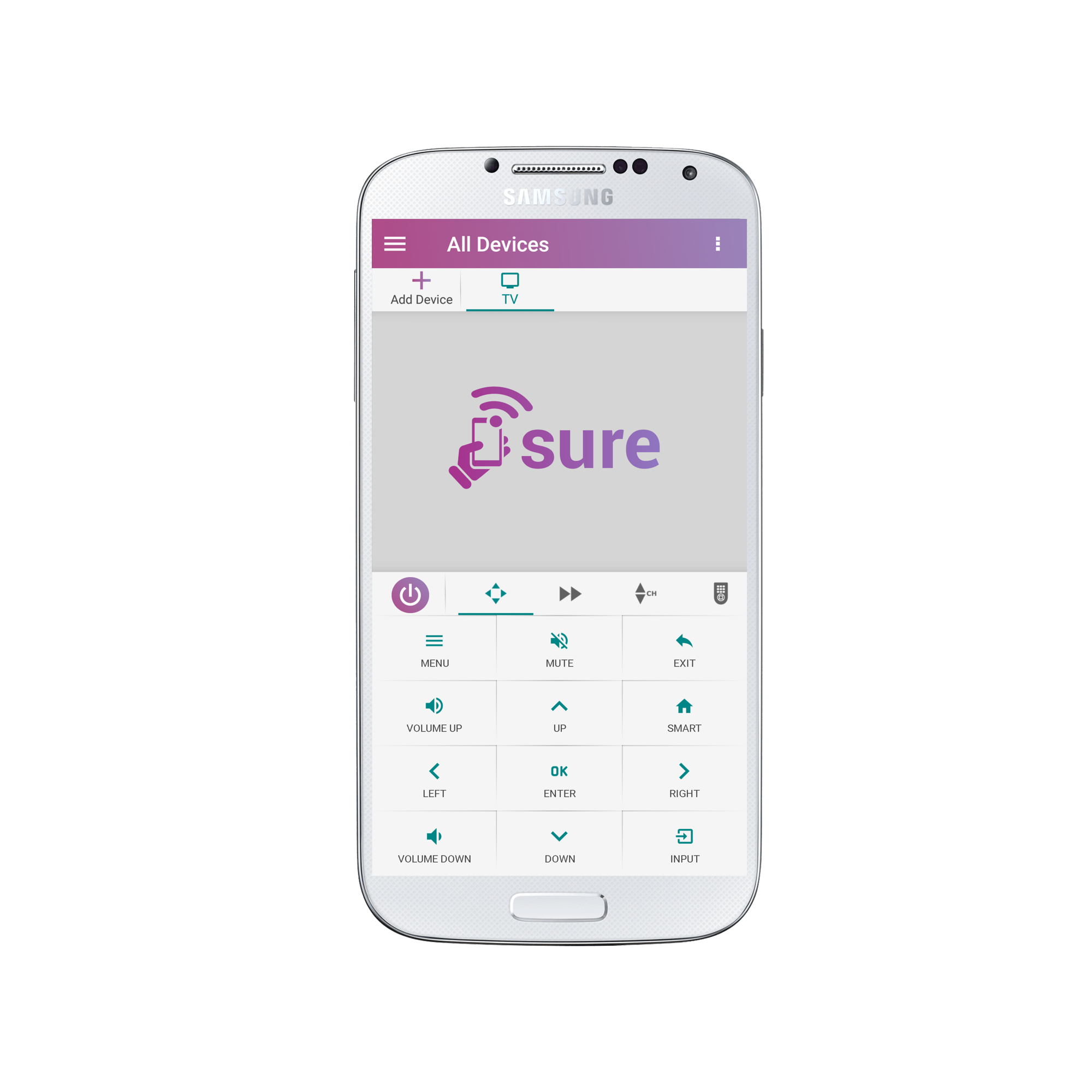
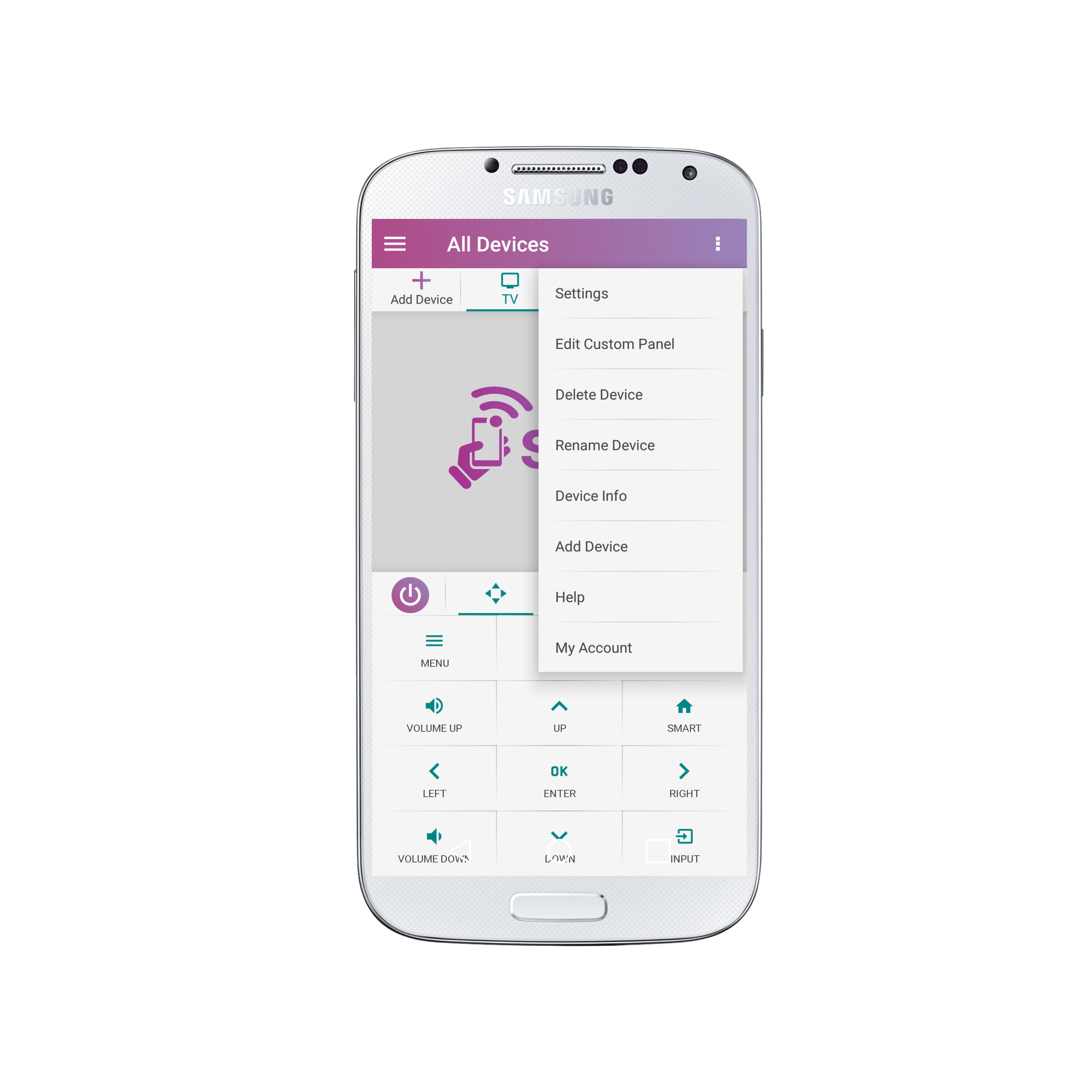
2. Select “Settings”
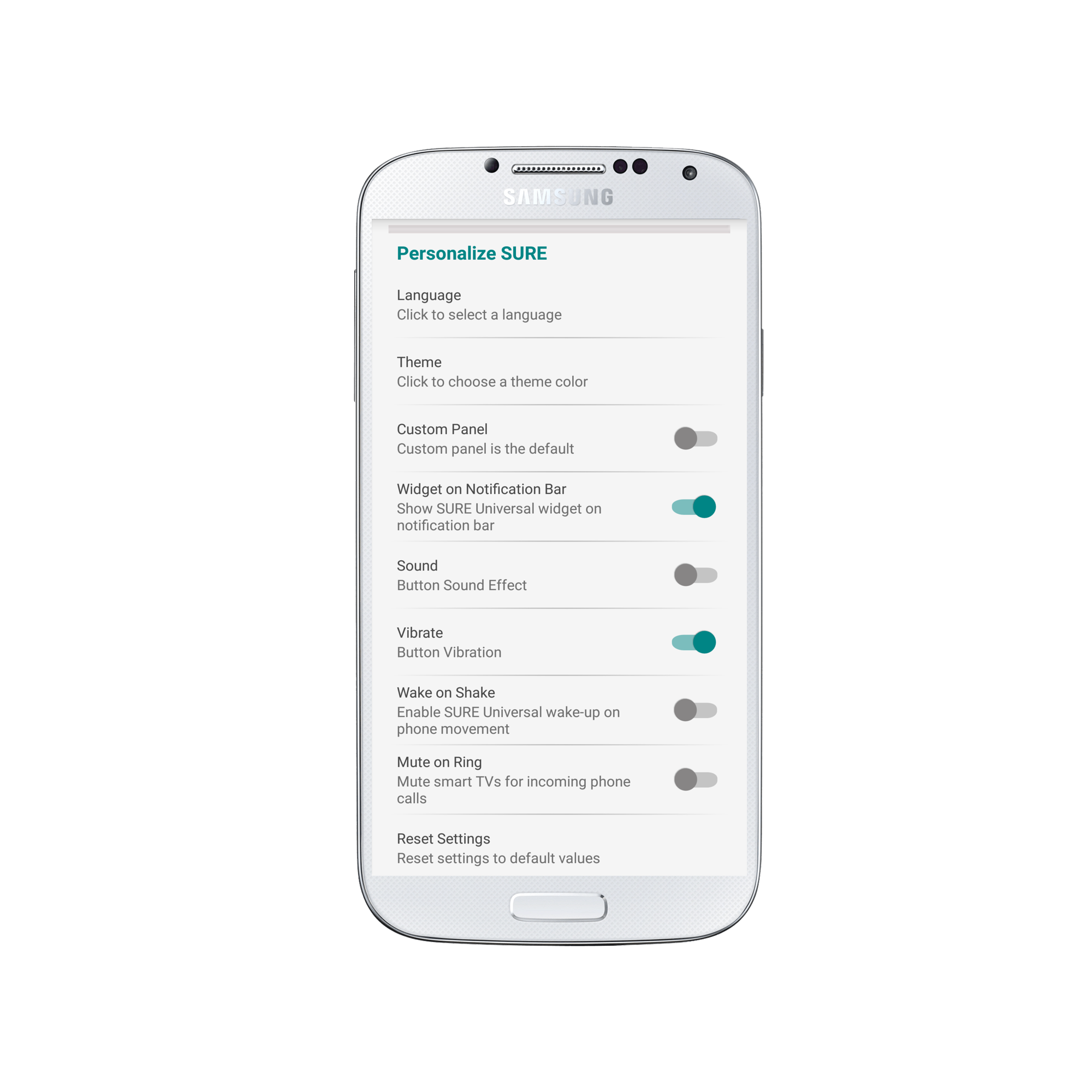
3. Scroll to the bottom of the screen and under “Personalize SURE” select “Reset Settings”
4. Select “Yes, please reset my SURE Universal remote”
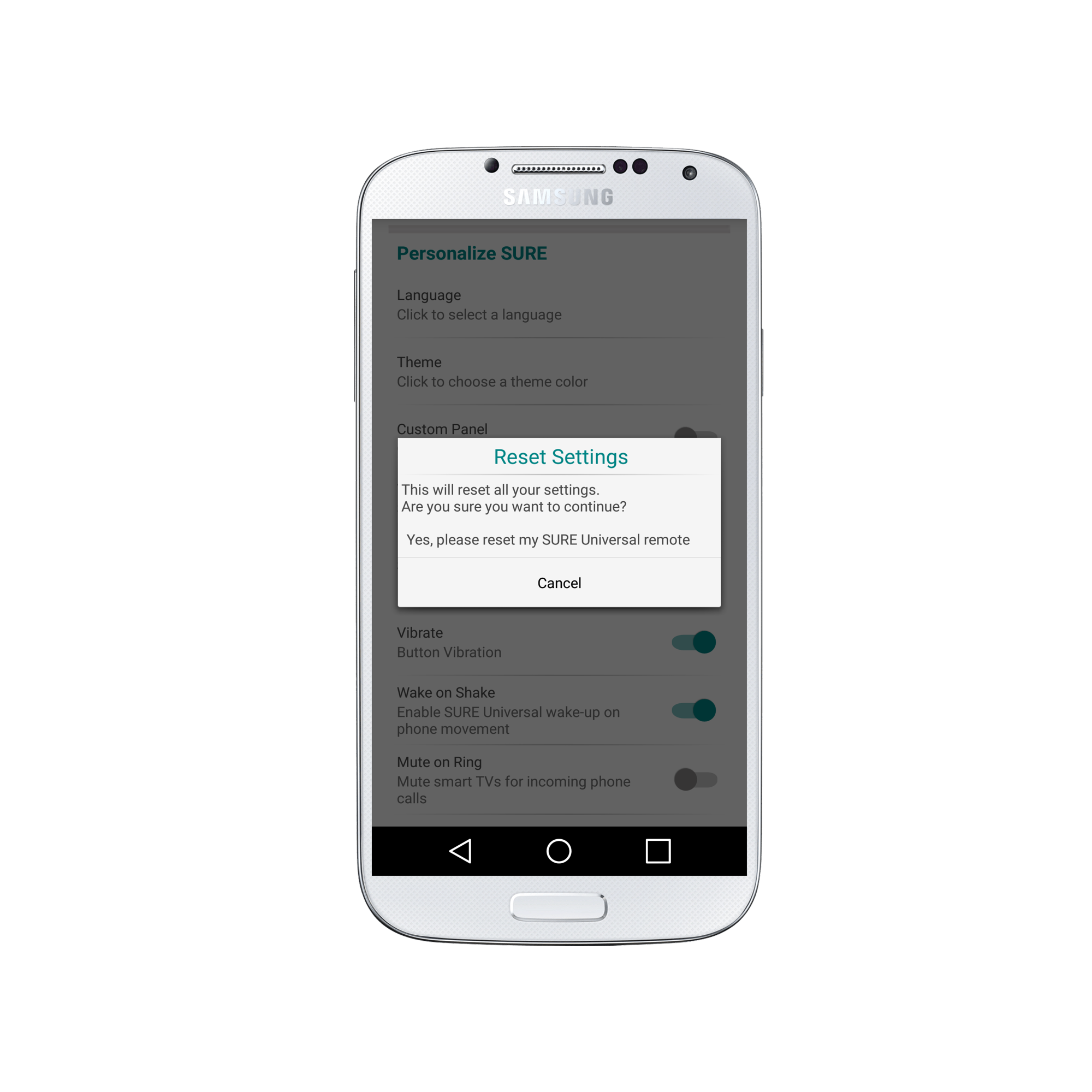
Your SURE Universal Remote is now reset to default settings. Enjoy!?
Social
关注我们