
Step-by-Step Instructions to Delete a Device on SURE Universal Remote for iOS
1. Find the screen where the device appears. See example below.
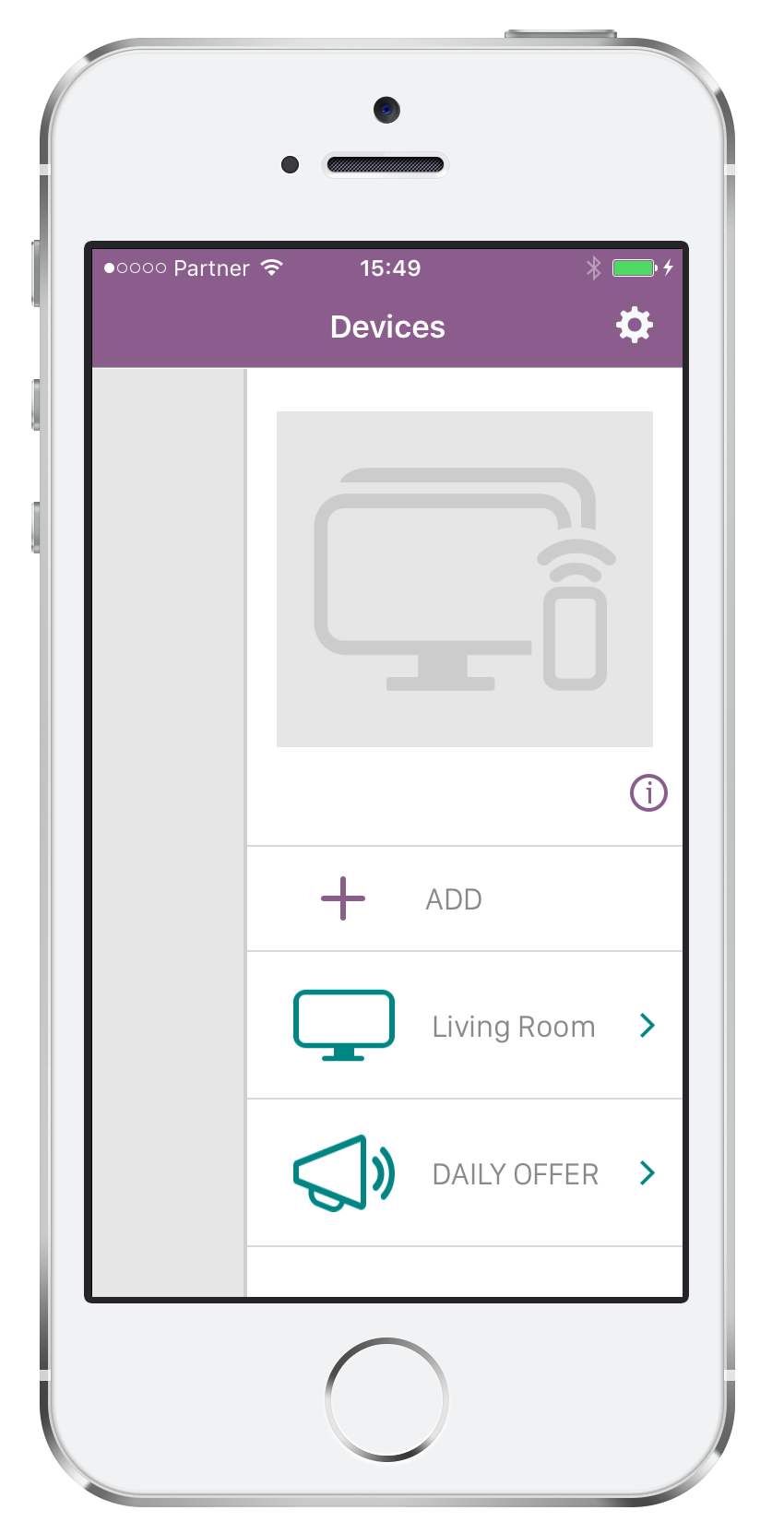
2. Swipe left on the name of the device that you would like to delete.
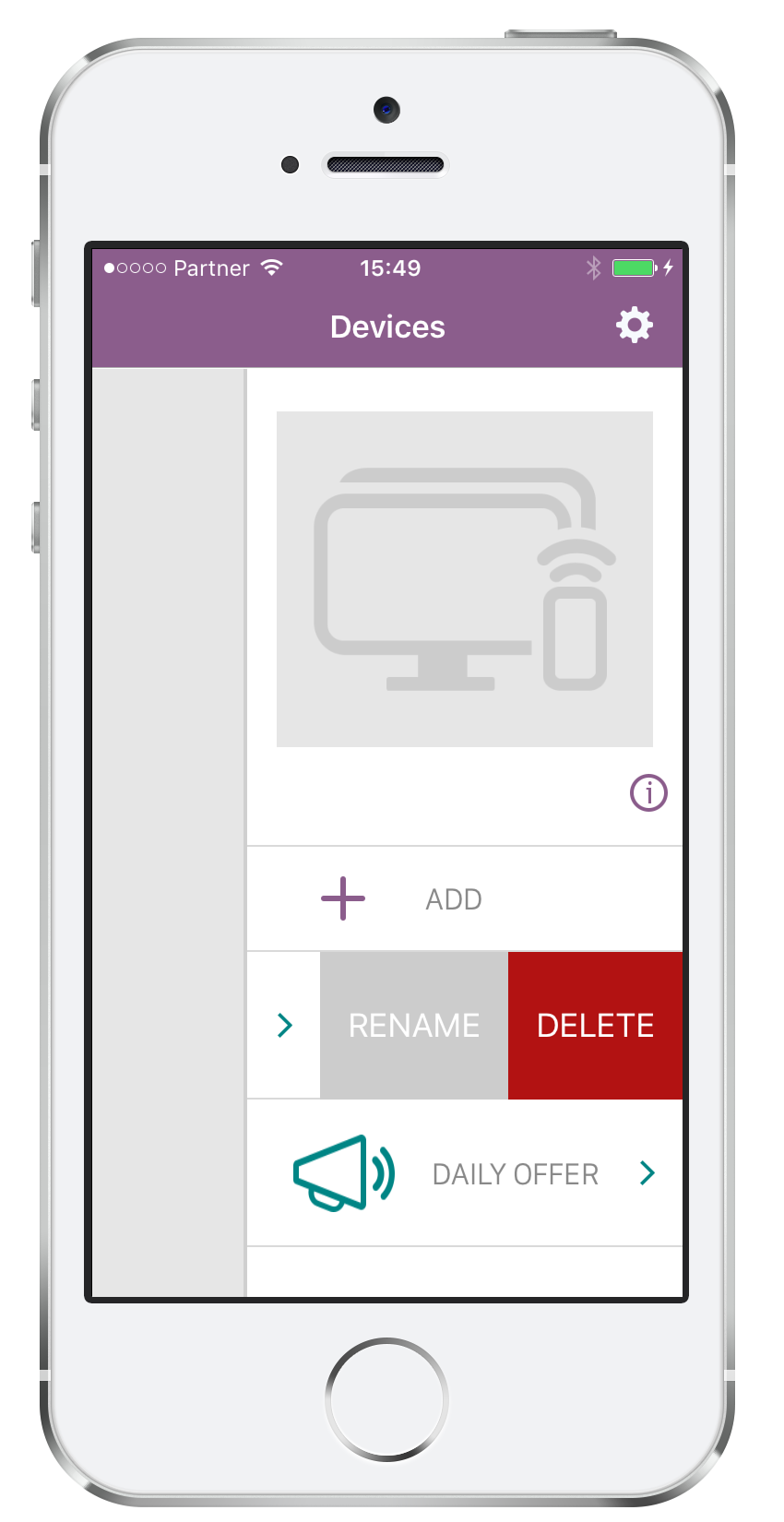
You will now see the option to either “RENAME” or “DELETE” this device.
Select “DELETE”
3. Click “Ok”.
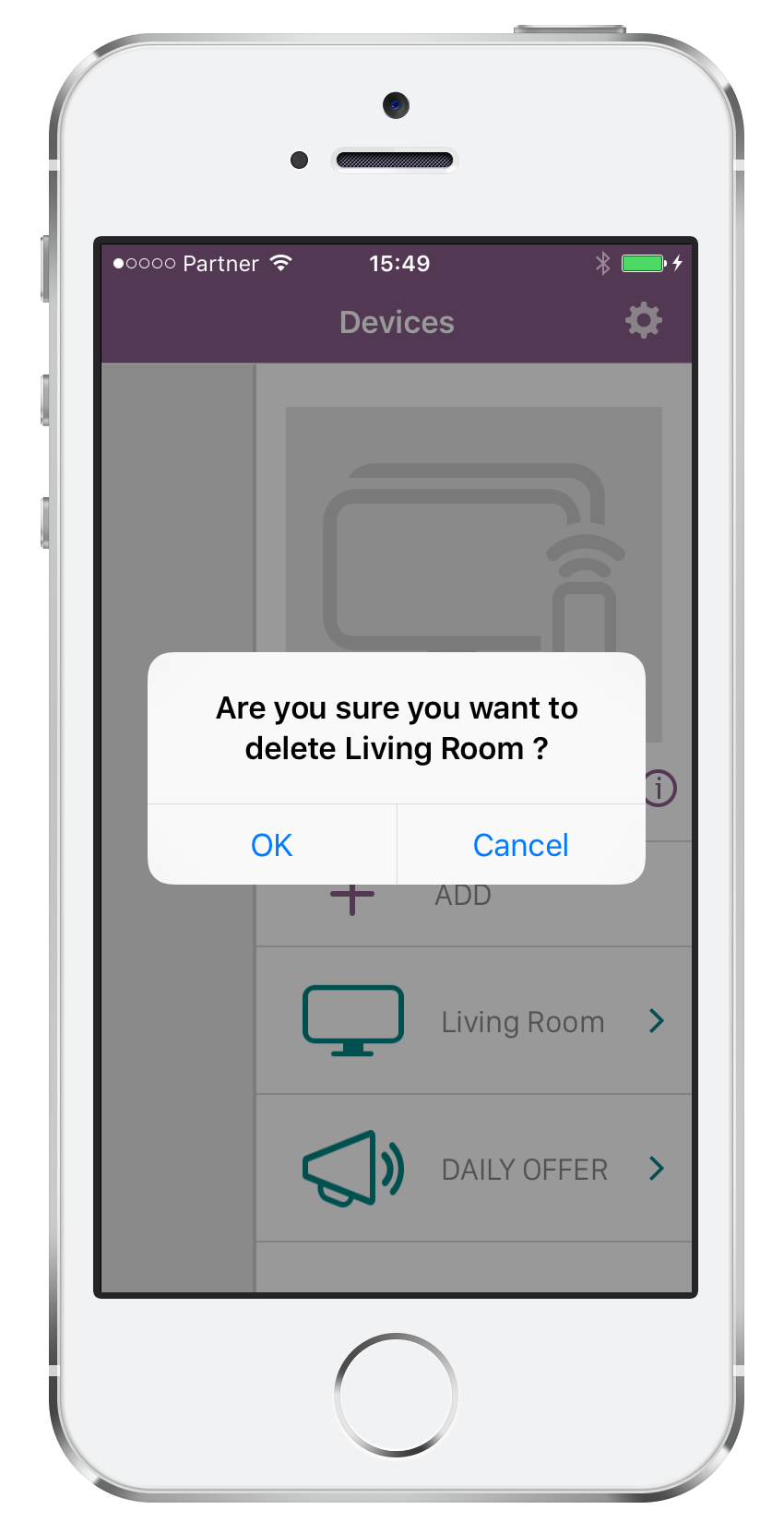
That’s it! The device has been deleted.
Social
关注我们