Step-by-Step Instructions to Enable Wake-on-Shake with Your SURE Universal Remote
To enable SURE Universal wake-up on phone movement simply follow the steps below:
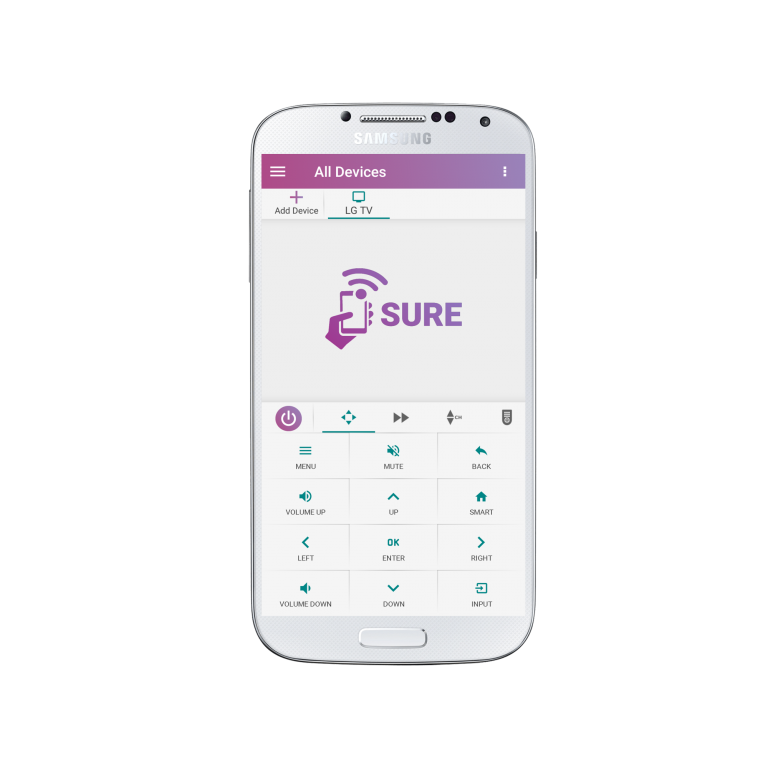
1.Tap the 3 vertical dots in the top right corner of the screen
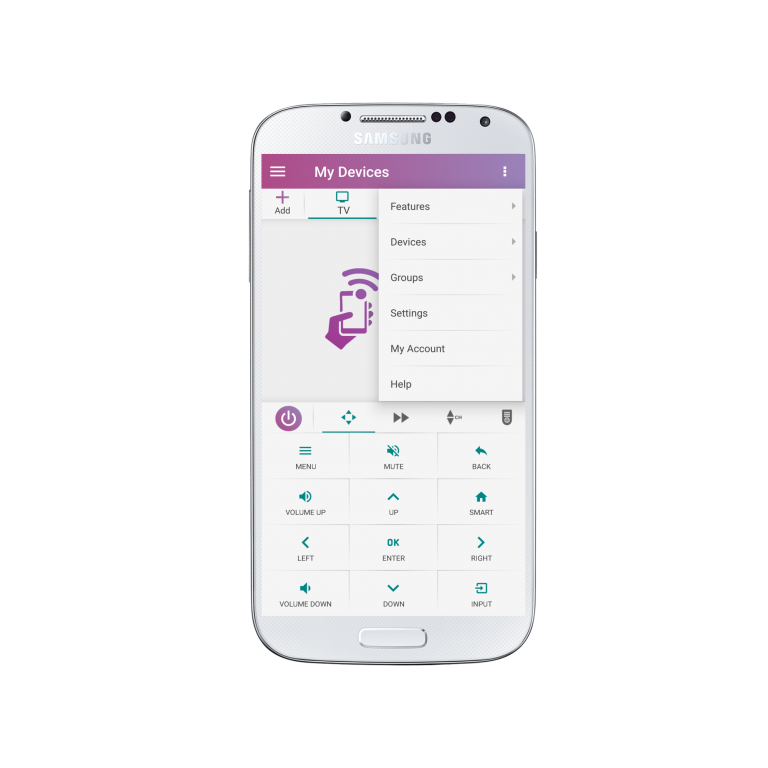
2. Select “Settings”
3. Under “Personalize SURE” look for “Wake on Shake”
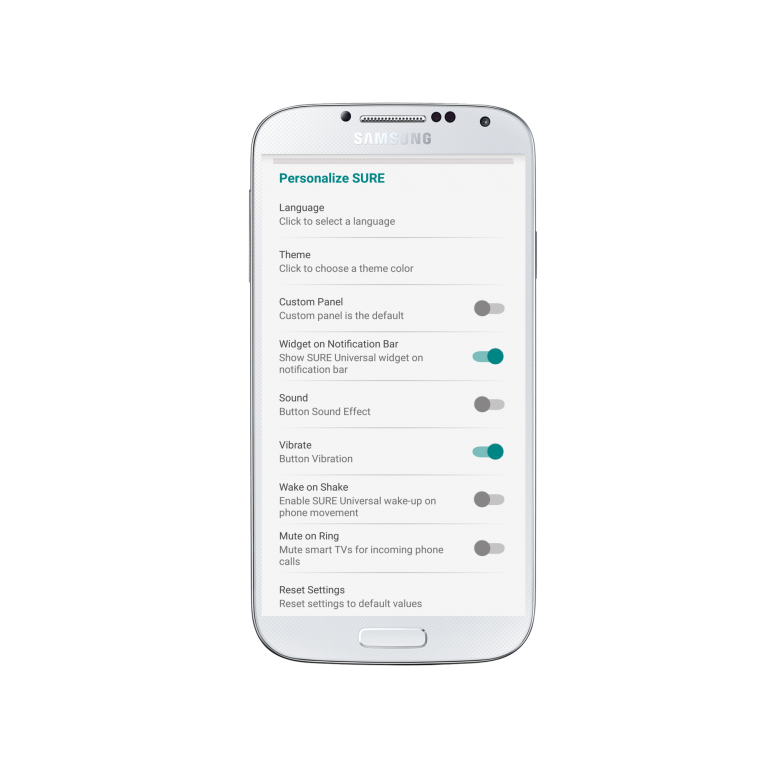
4. To enable wake-up on phone movement select “Wake on Shake” so that the toggle turns blue.
Likewise, if you want to disable wake-up on phone movement select “Wake on Shake” so that the toggle turns grey
Enjoy waking up your SURE Universal Remote with movement.