Step-by-step instructions to reset the password of your SURE Universal account
1. Tap the 3 vertical dots in the top right corner of the screen to access the app settings
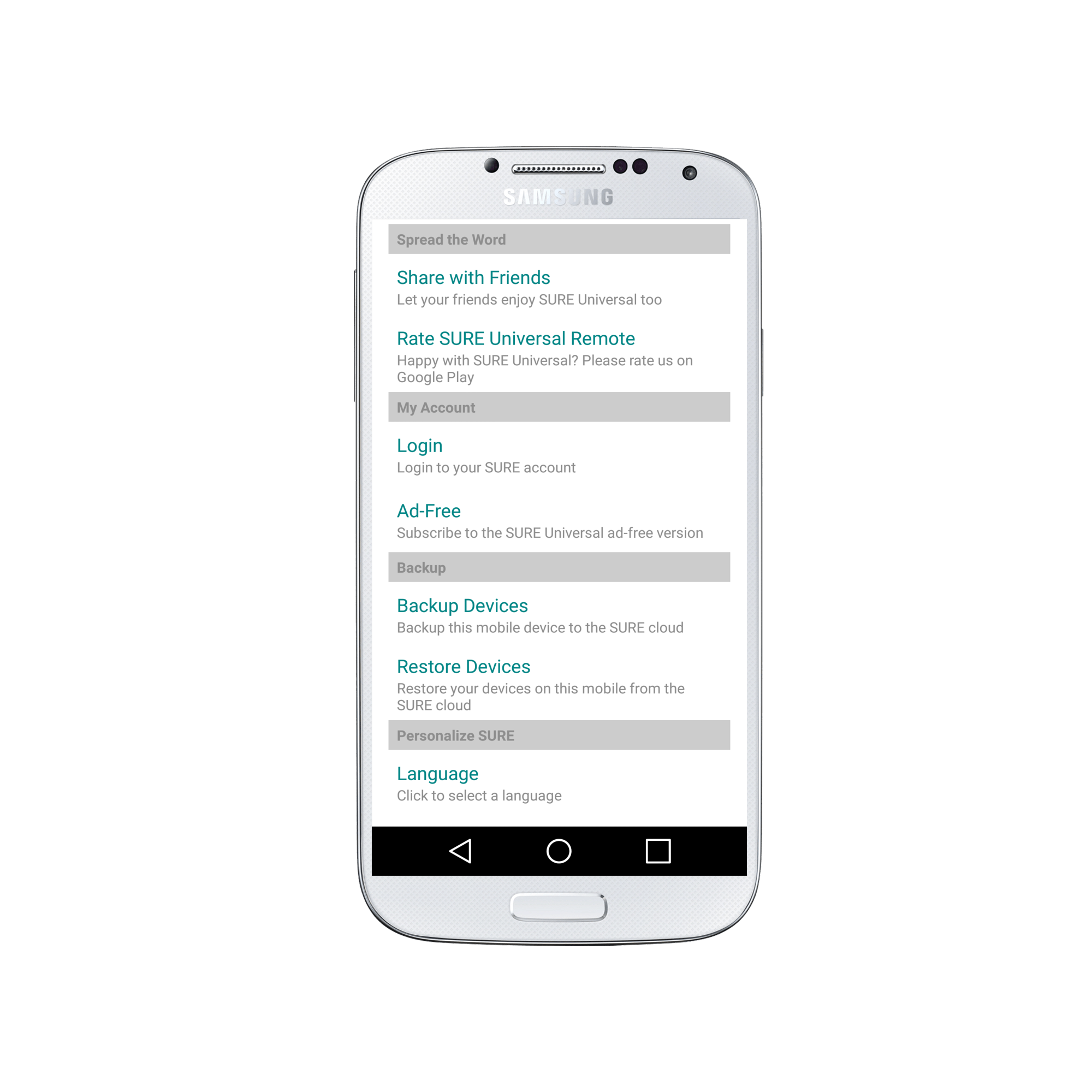
2. Under “My Account” select “Login”
3. Click “Forgot Password?” in the bottom right of the screen 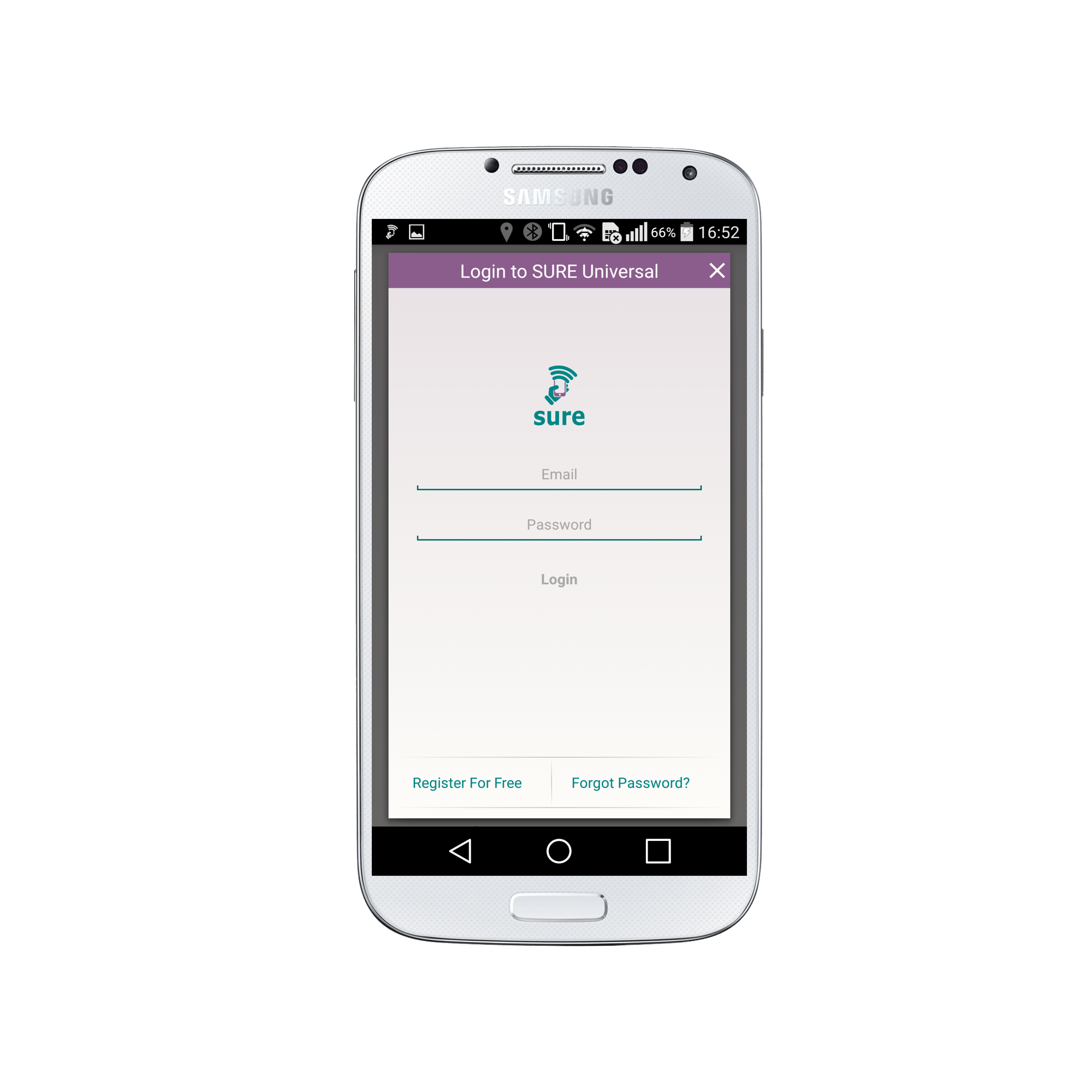
4. Enter the email address you used to create your account. Click “Send Reset Password Email” when you are ready. 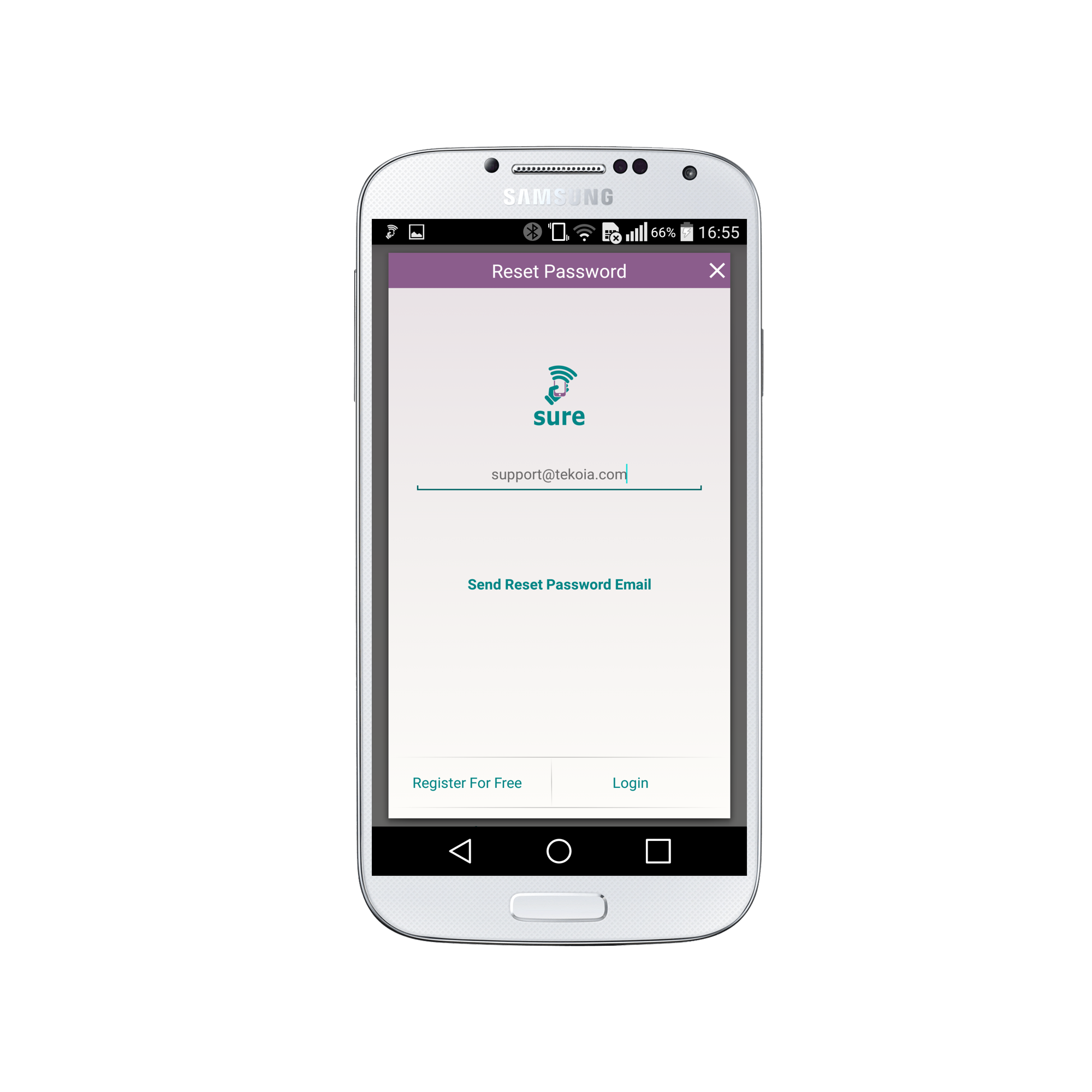
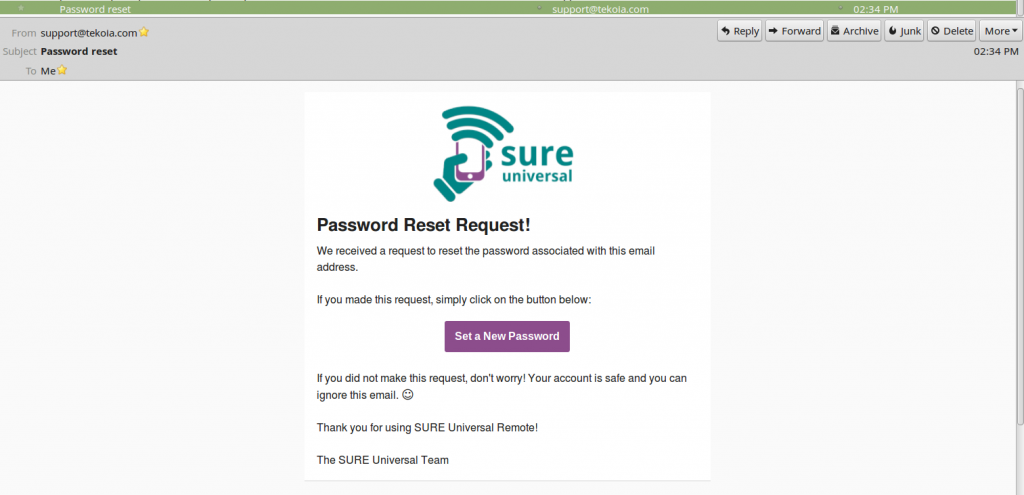
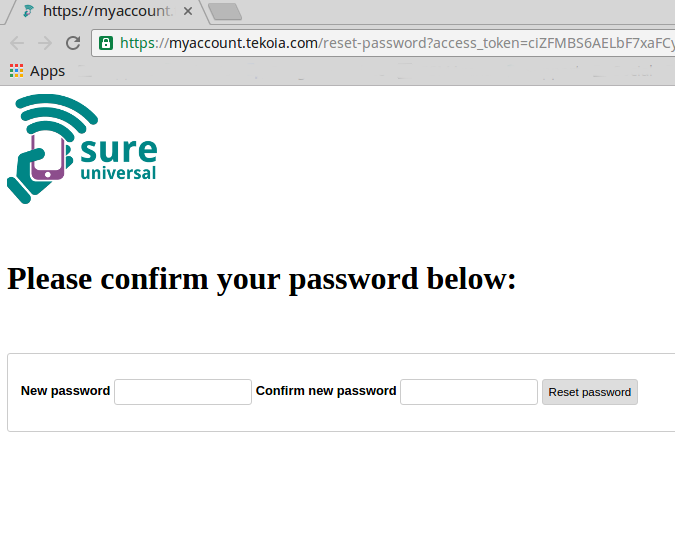
5. Open the email sent to you from support@tekoia.com with the subject “Password Reset”. Click on the “Set a New Password” button. This will lead to a webpage.
6. Enter your new desired password. Note: must be at least 6 characters. Confirm your new password and when you are ready click on “Reset password”.
Congratulations! Your password has been updated. ?