

Step-by-step Instructions on how to add appliances to one “System”
The SURE Universal Remote enables you to add multiple appliances to one “System.” By doing this you will be able to turn all your appliances in the same “System” ON and OFF with one click.
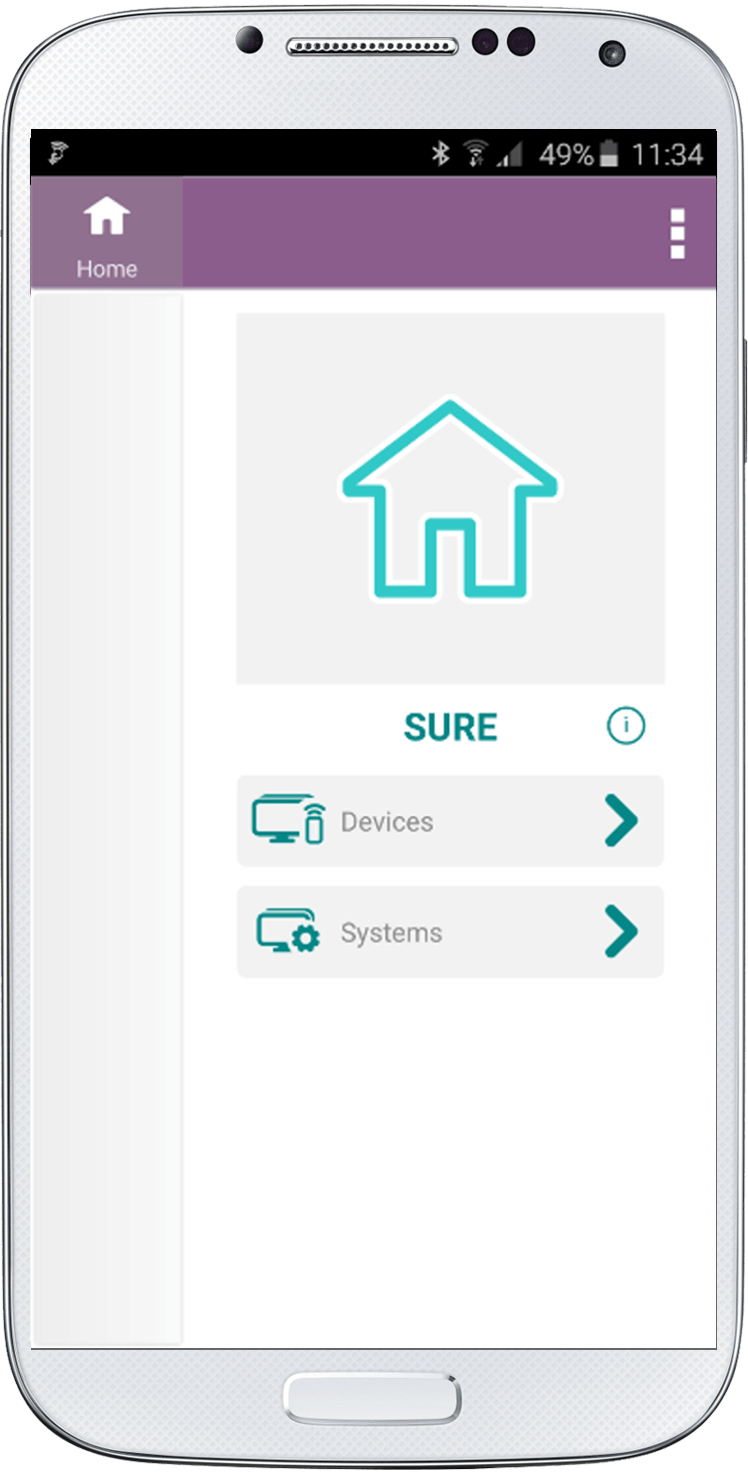
1. On the home screen go to “Systems”
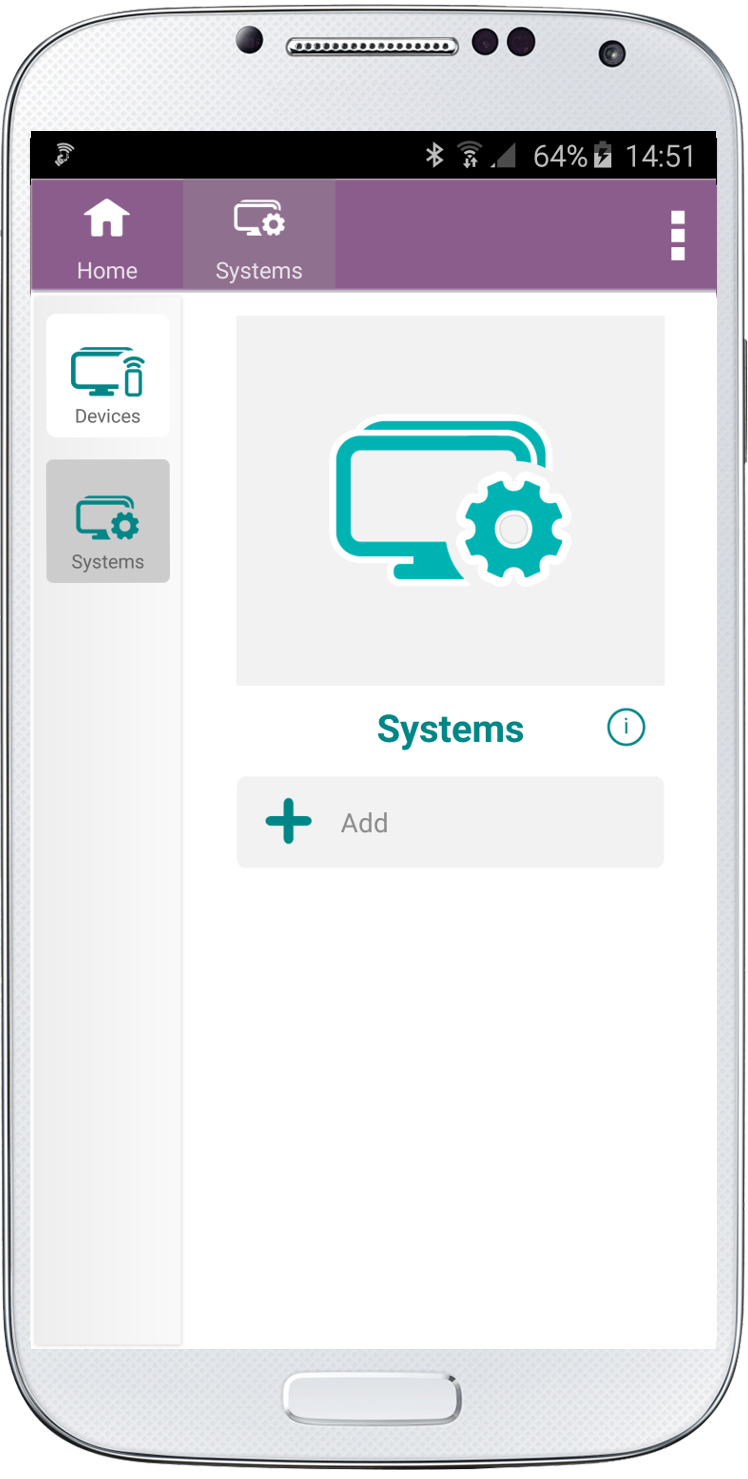
2. Click “Add”
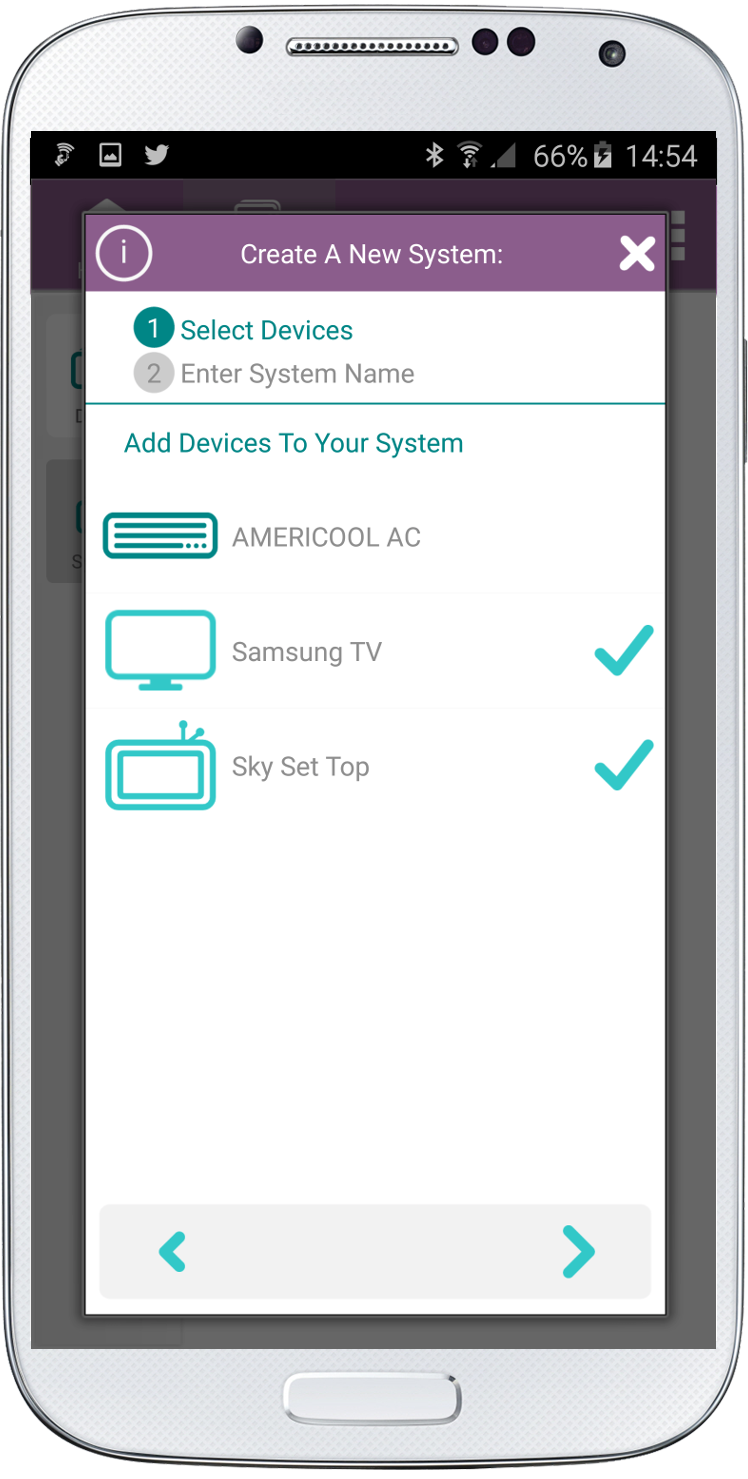
3. Add devices to your “System”. In the example below we selected Samsung TV and Sky Set Top.
Click the right arrow at the bottom of the screen.
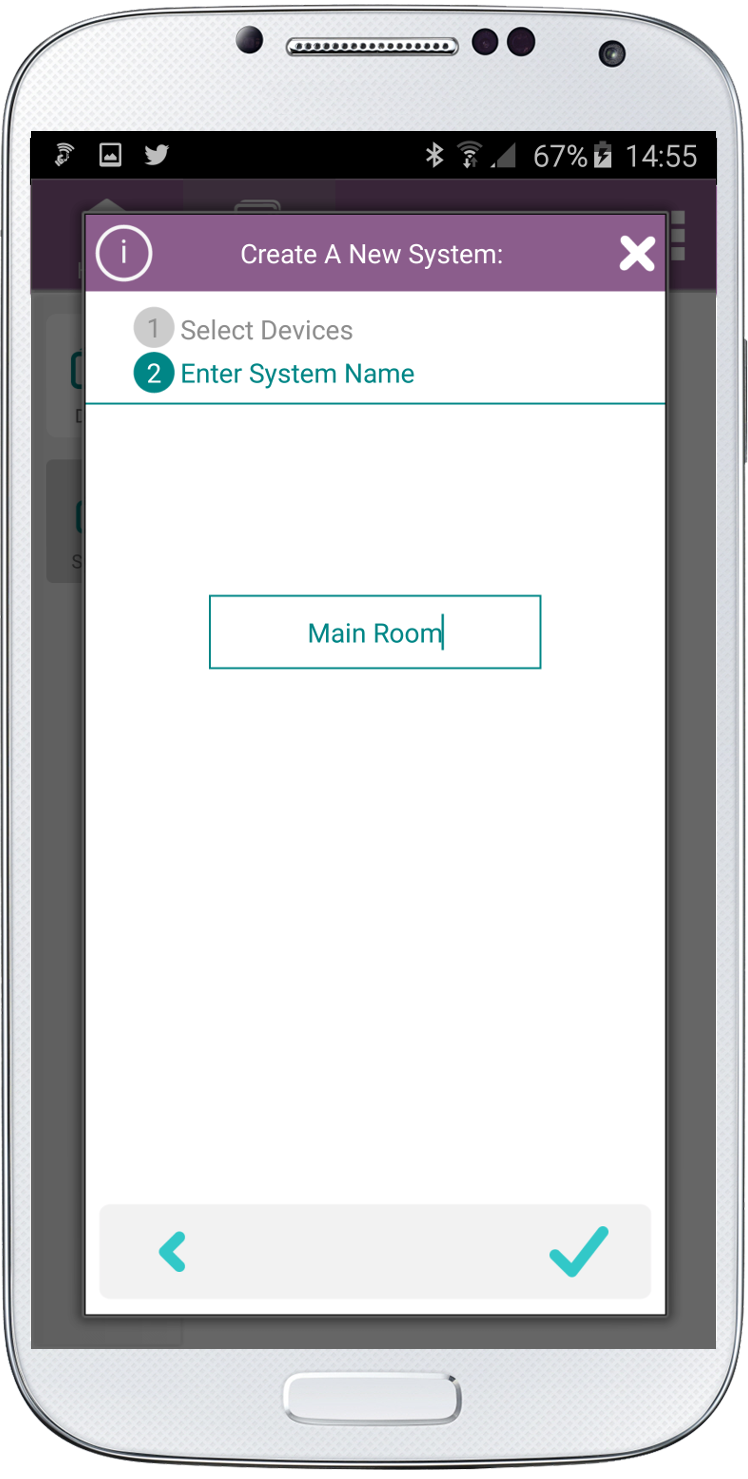
4. Either leave the default name or delete and add your own name.
Click the check at the bottom right side of the screen.
5. Your new System will be available on the left navigation. Both the top button on the left navigation and the button in the middle of the screen will turn all the appliances on and off.
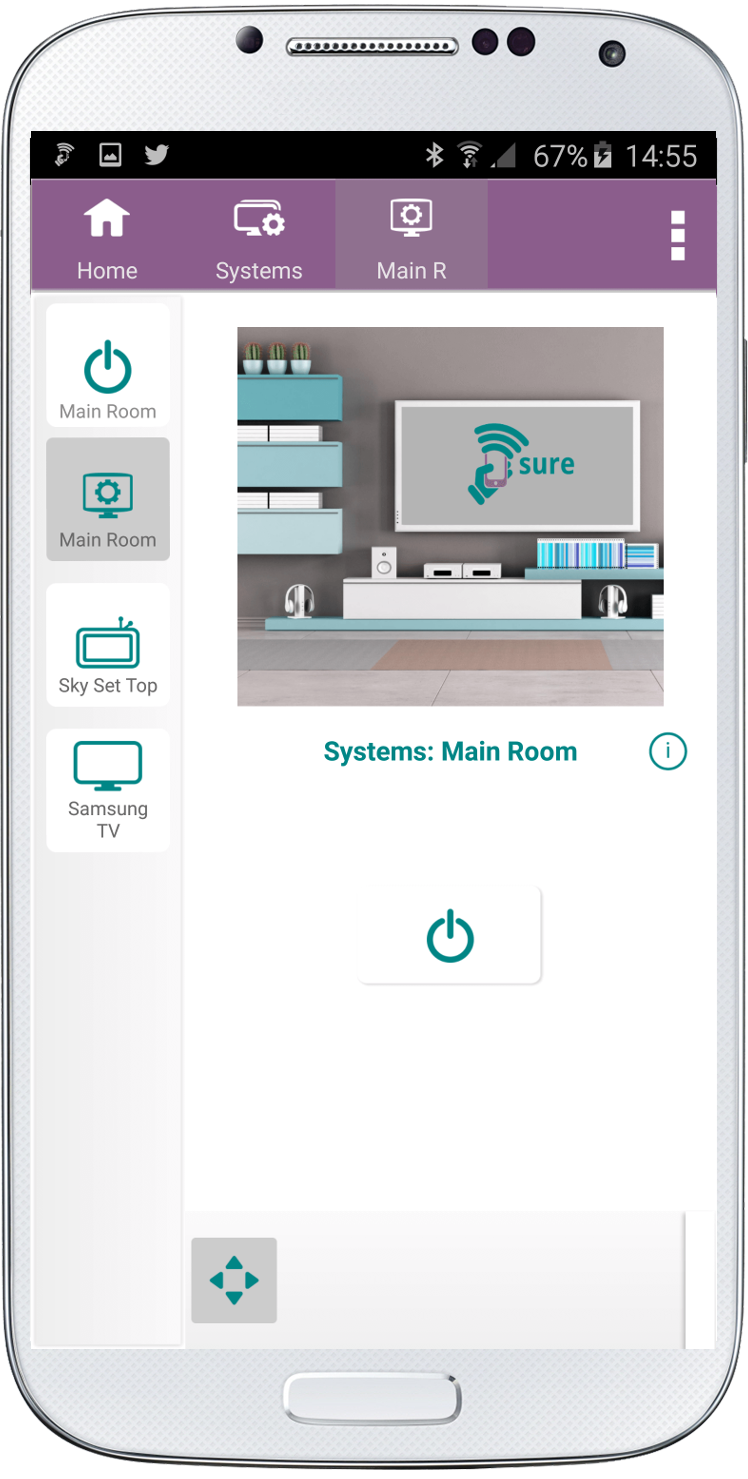
All the appliances in this “System” are visible on the left navigation.
Please note that to modify your system, such as sound and media source, check out How to Modify Your System.
Social
关注我们