

Step-by-step Instructions on How to Modify Your SURE Universal Remote “System”
Once you have setup a “System” (see instructions here) you may want or need to modify it.
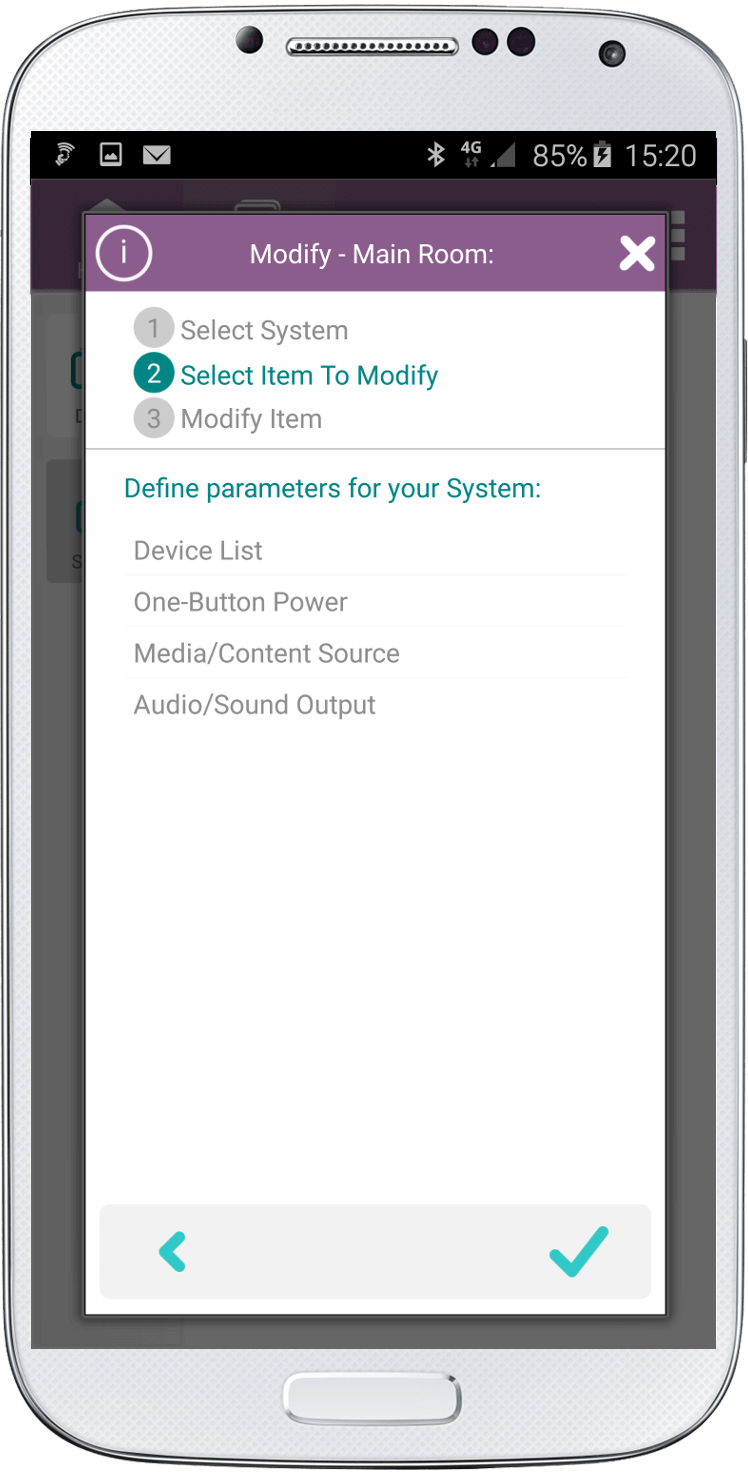
You can modify the following:
1. Device List
Add or remove devices
2. One-Button Power
Define which devices you want to turn on and off at the same time
3. Media/Content Source
Define the main media source
4. Audio/Sound Output
Define if the TV or the Receiver is the main audio output
(If you are using appliances such as Roku. You will be able to define Roku as the Media Source and the Audio as your TV.)
Follow the below step-by-step instructions:
1. On the “System” screen click the “Modify” button.
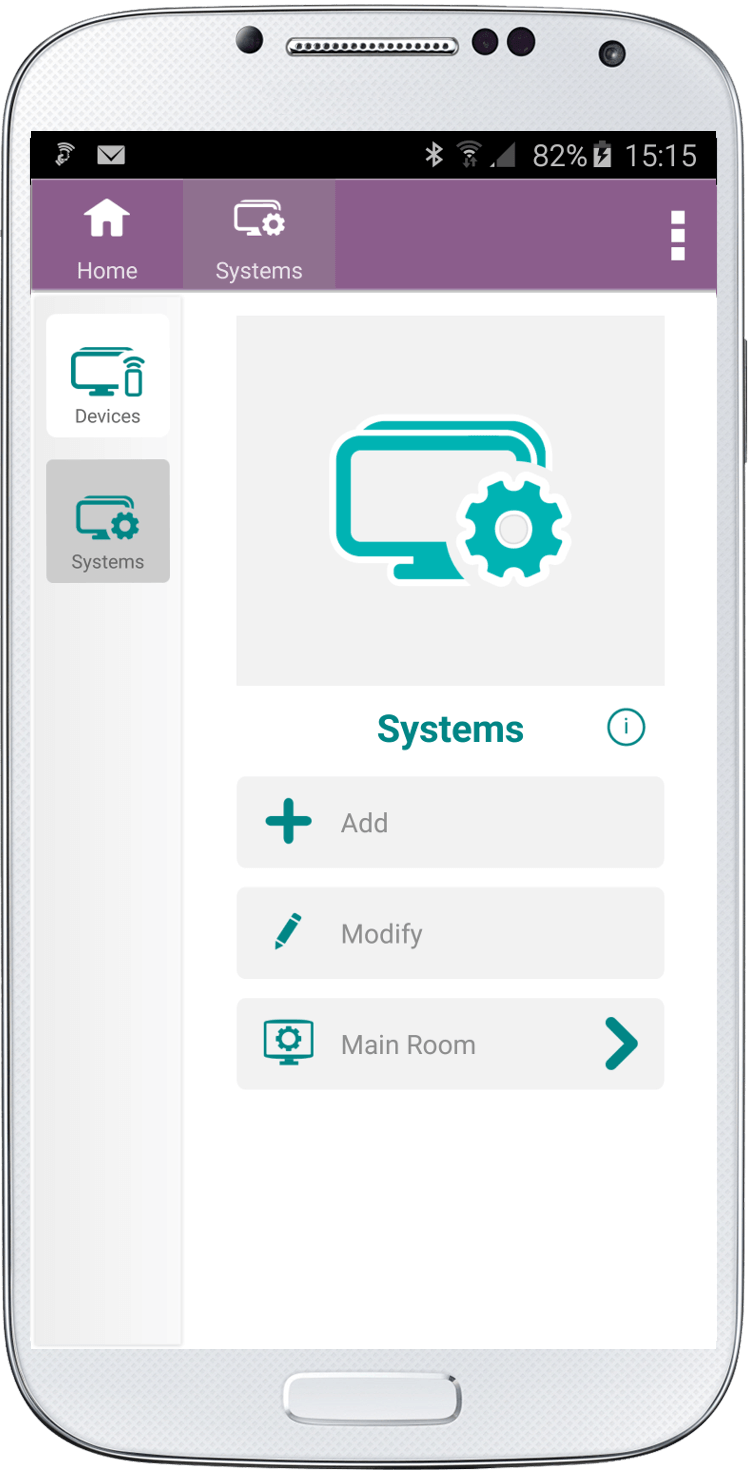
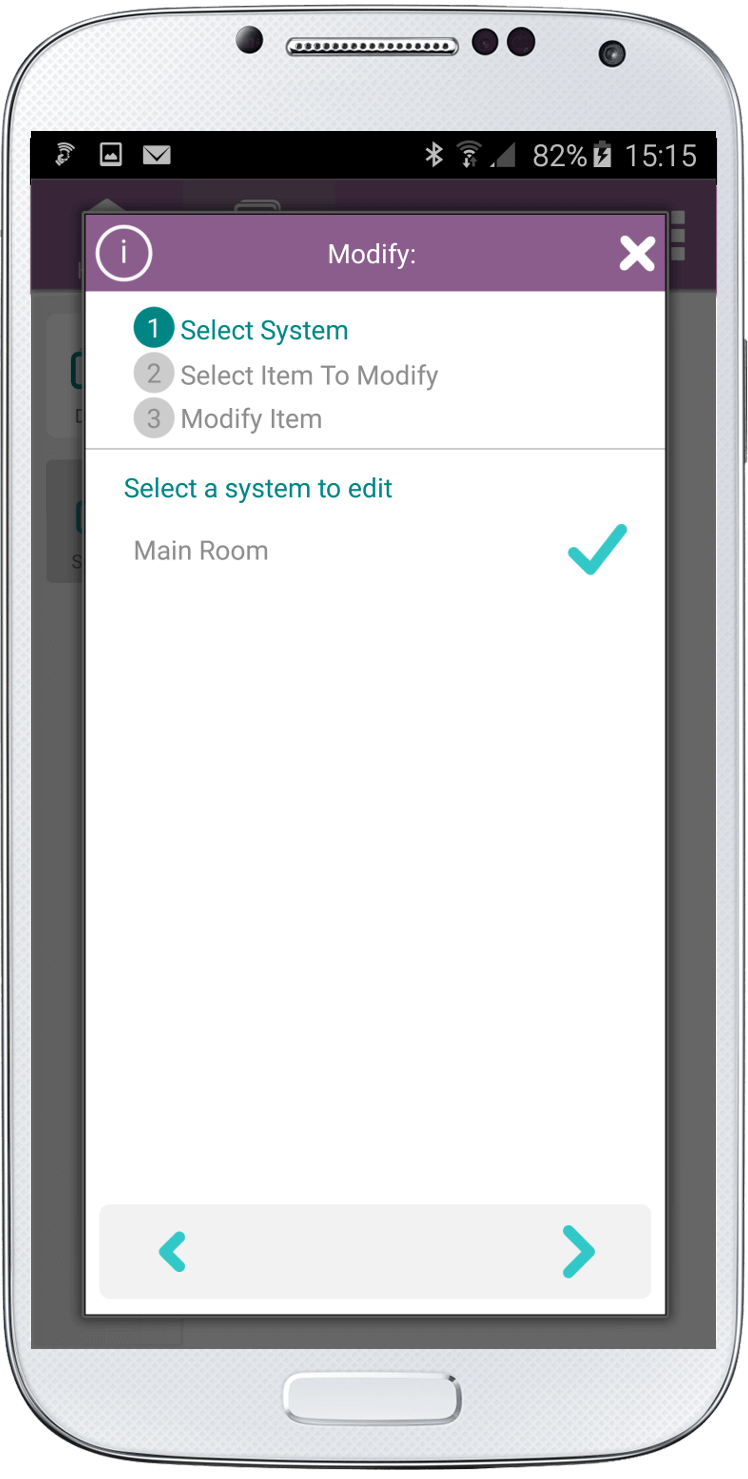
2. Select the system you want to edit. Click the right arrow at the bottom of the screen.
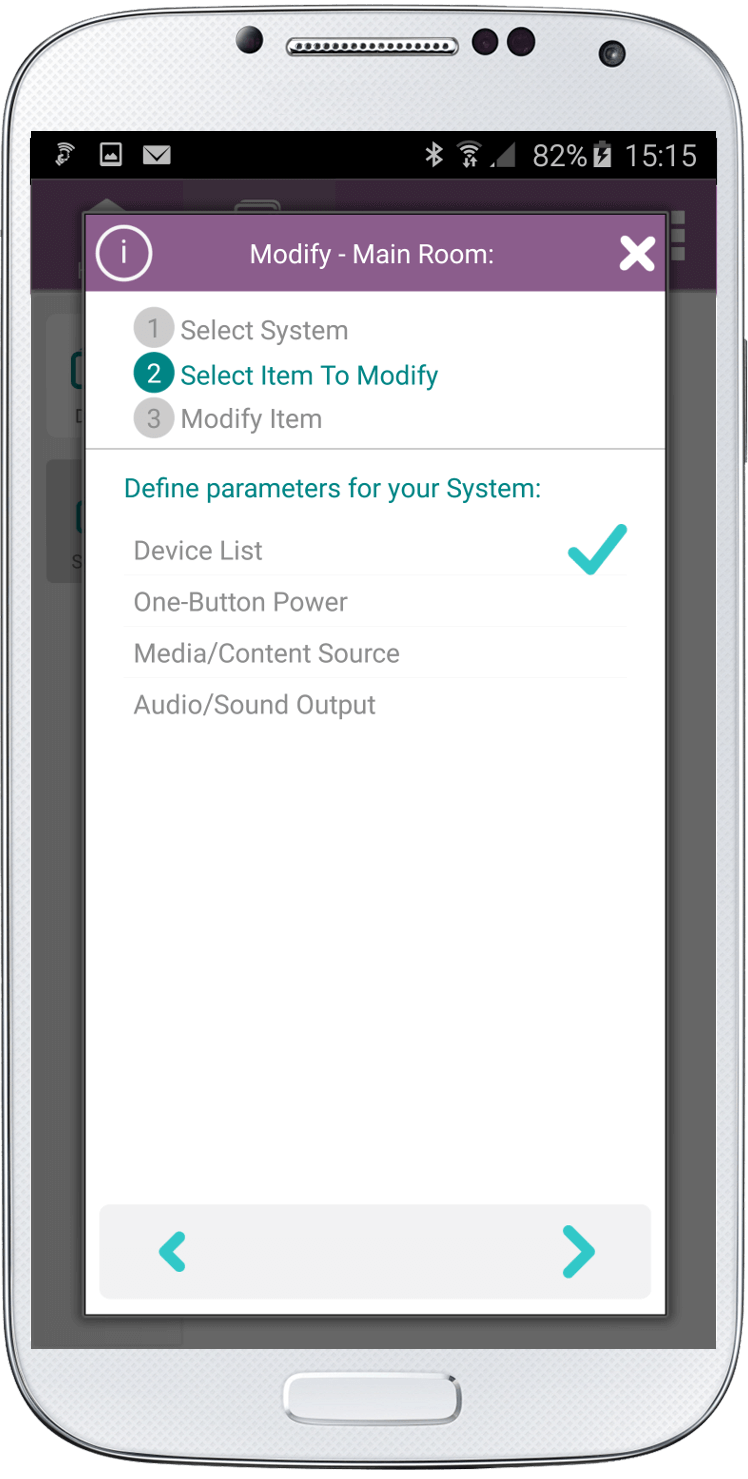
3. If you want to add or delete devices from this System click “Device List”
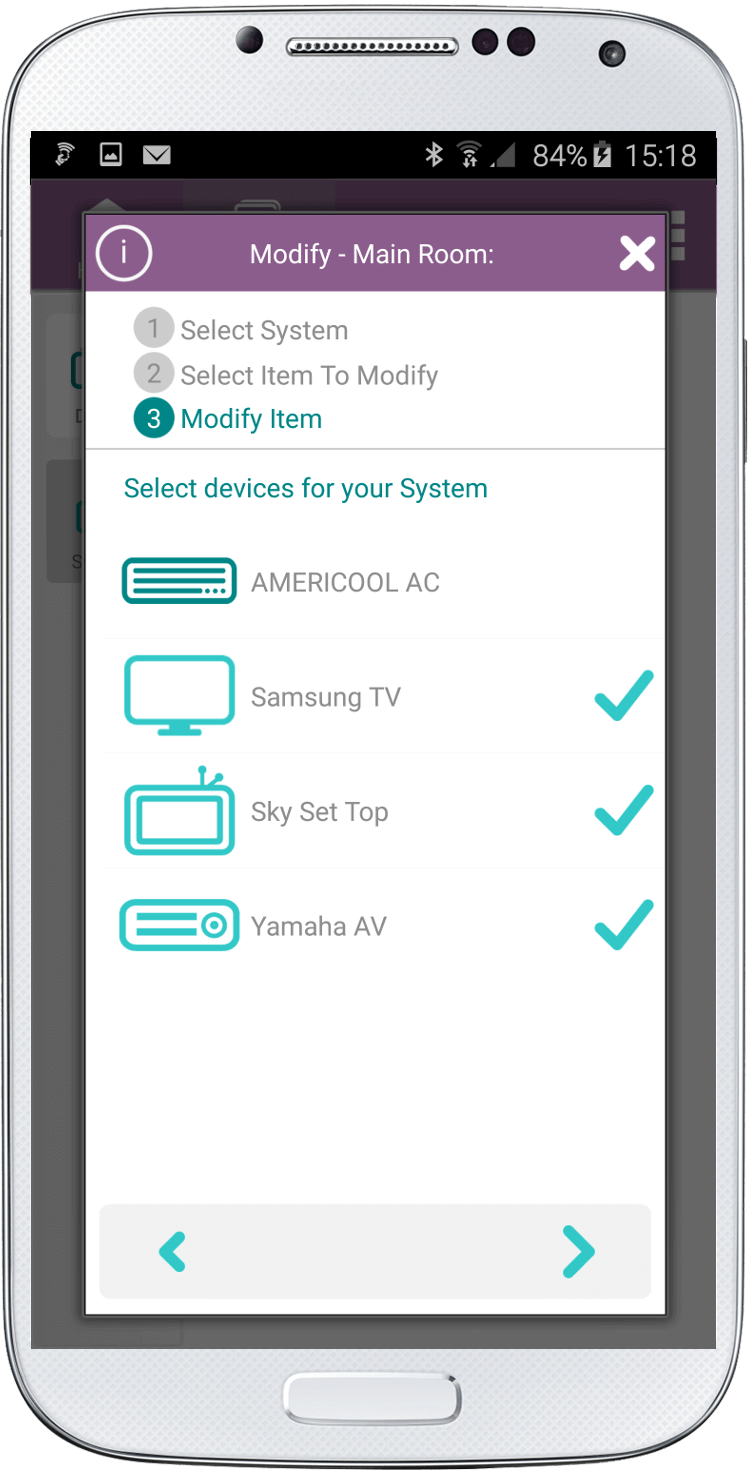
4. On the next screen you can either select additional devices or deselect devices you no longer require. Click the right arrow at the bottom of the screen.
5. If you want to add or remove devices for the One-Button Power select the “One-Button Power” button. Click the right arrow at the bottom of the screen.
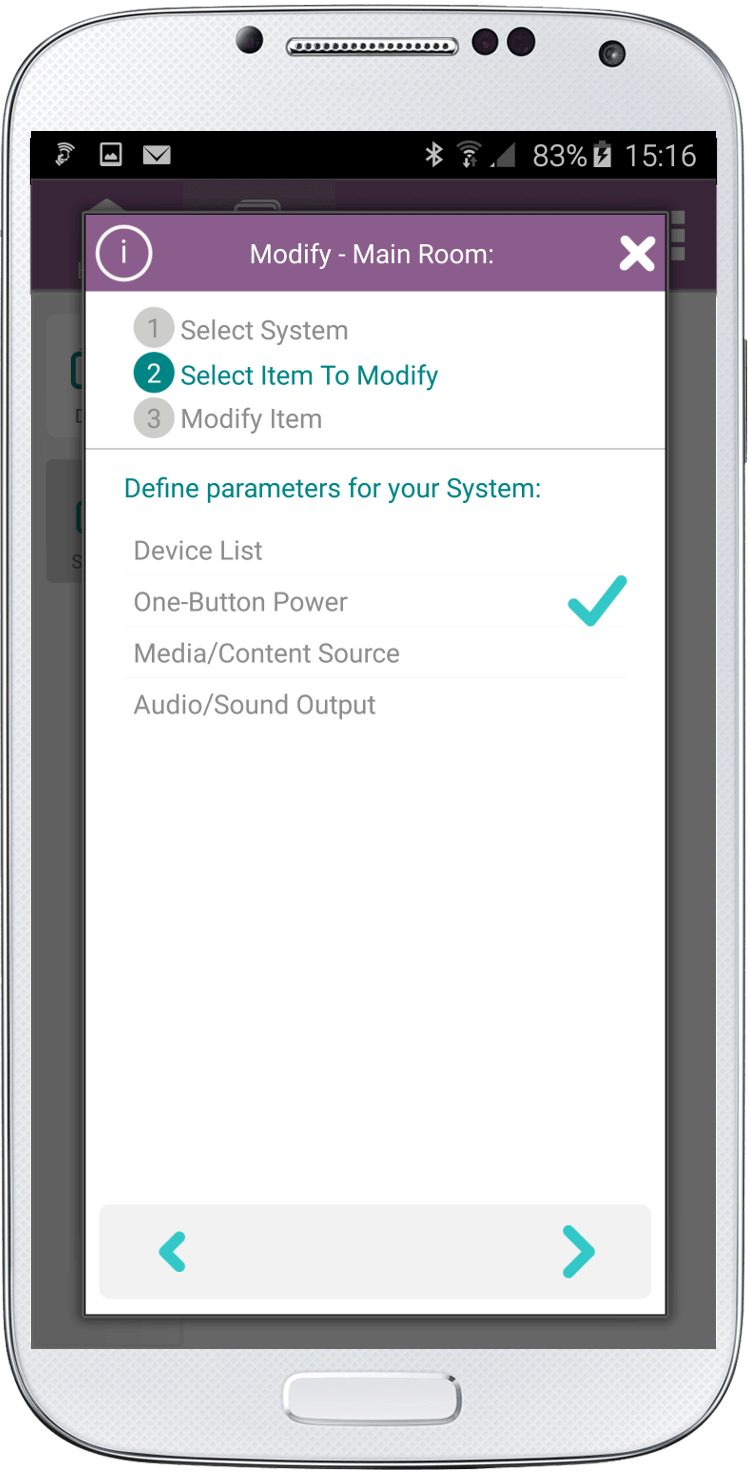
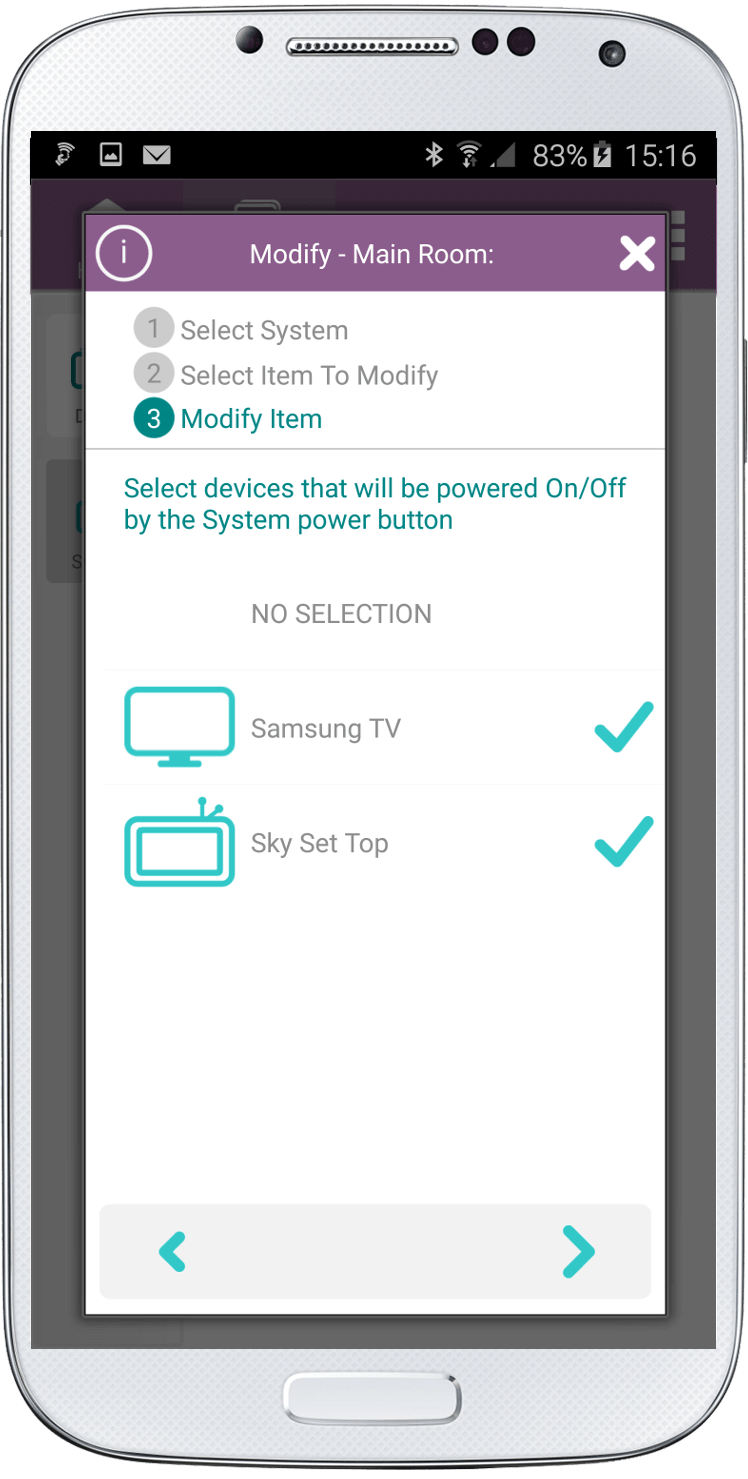
6. Select or deselect devices. Click the right arrow at the bottom of the screen.
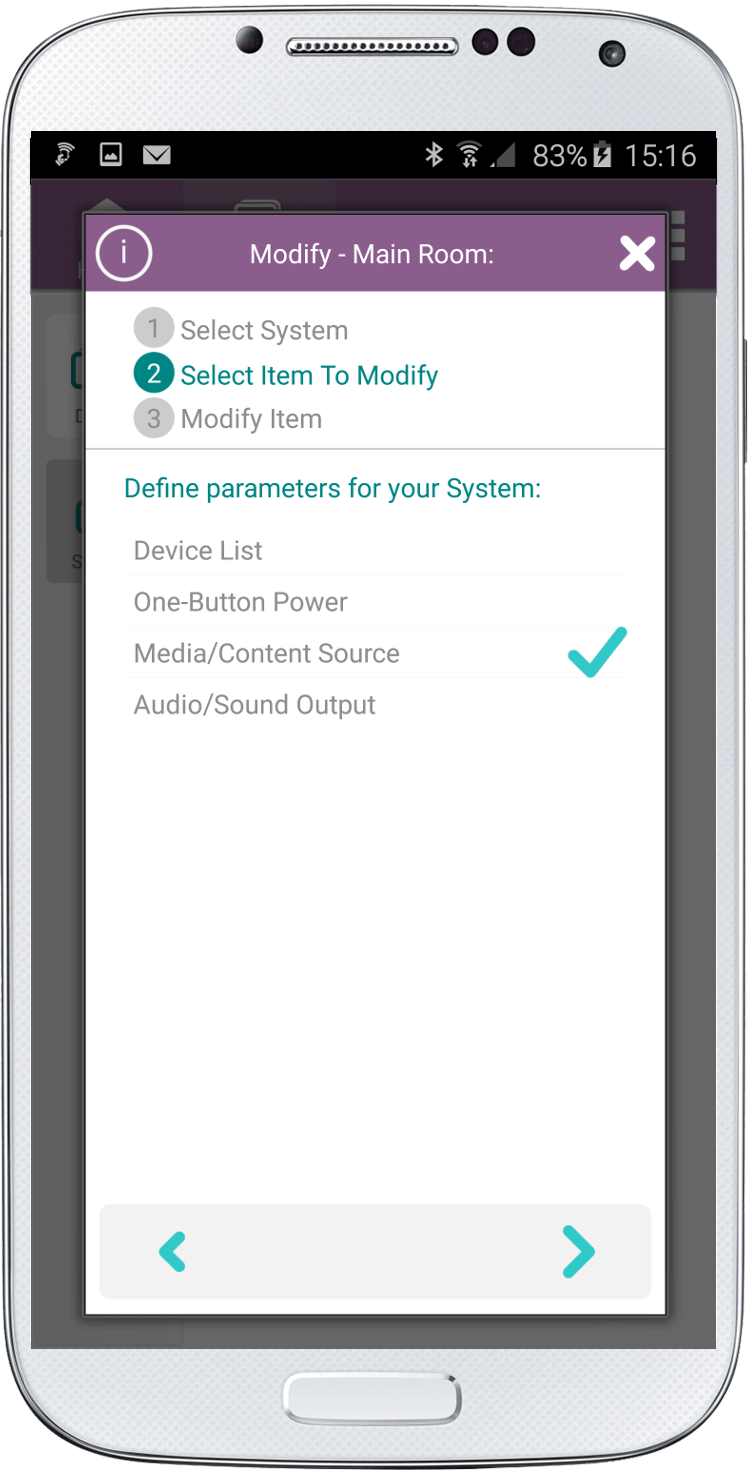
7. To change the media source click the “Media/Content Source” button. Click the right arrow at the bottom of the screen.
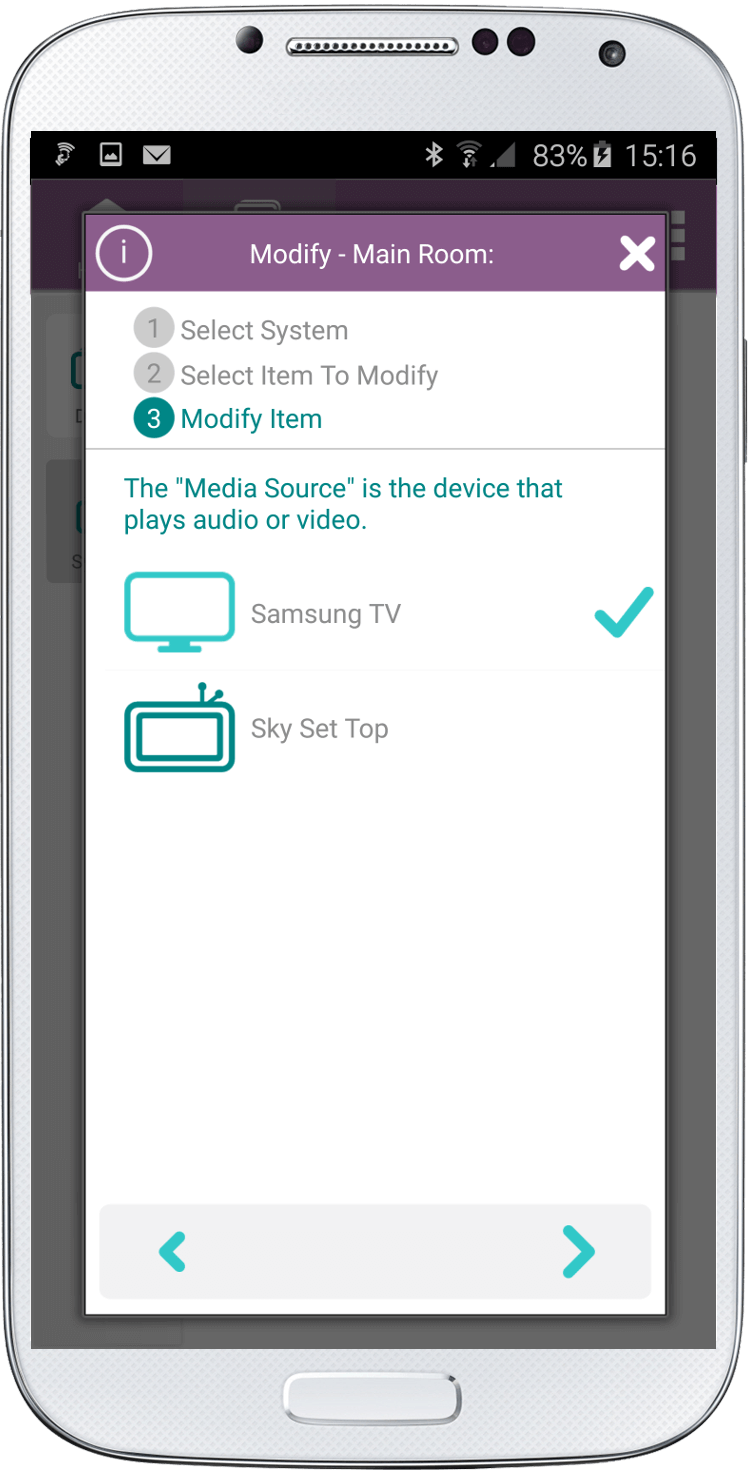
8. Select the device from which you wish to play audio or video. Click the right arrow at the bottom of the screen.
9. To change the audio or sound output click the “Audio/Sound Output” button. Click the right arrow at the bottom of the screen.

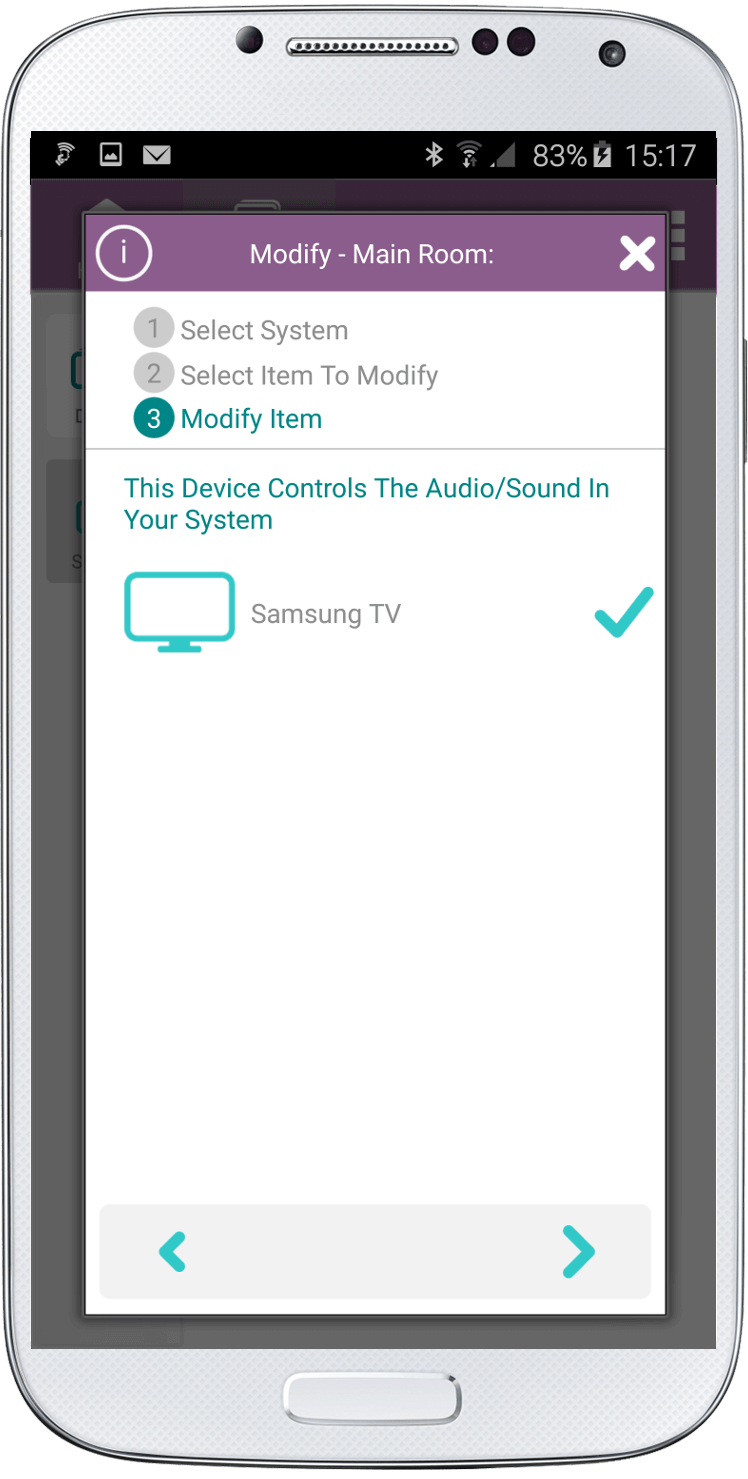
10. Select the device which controls the audio.
If you select a TV just click the right arrow.
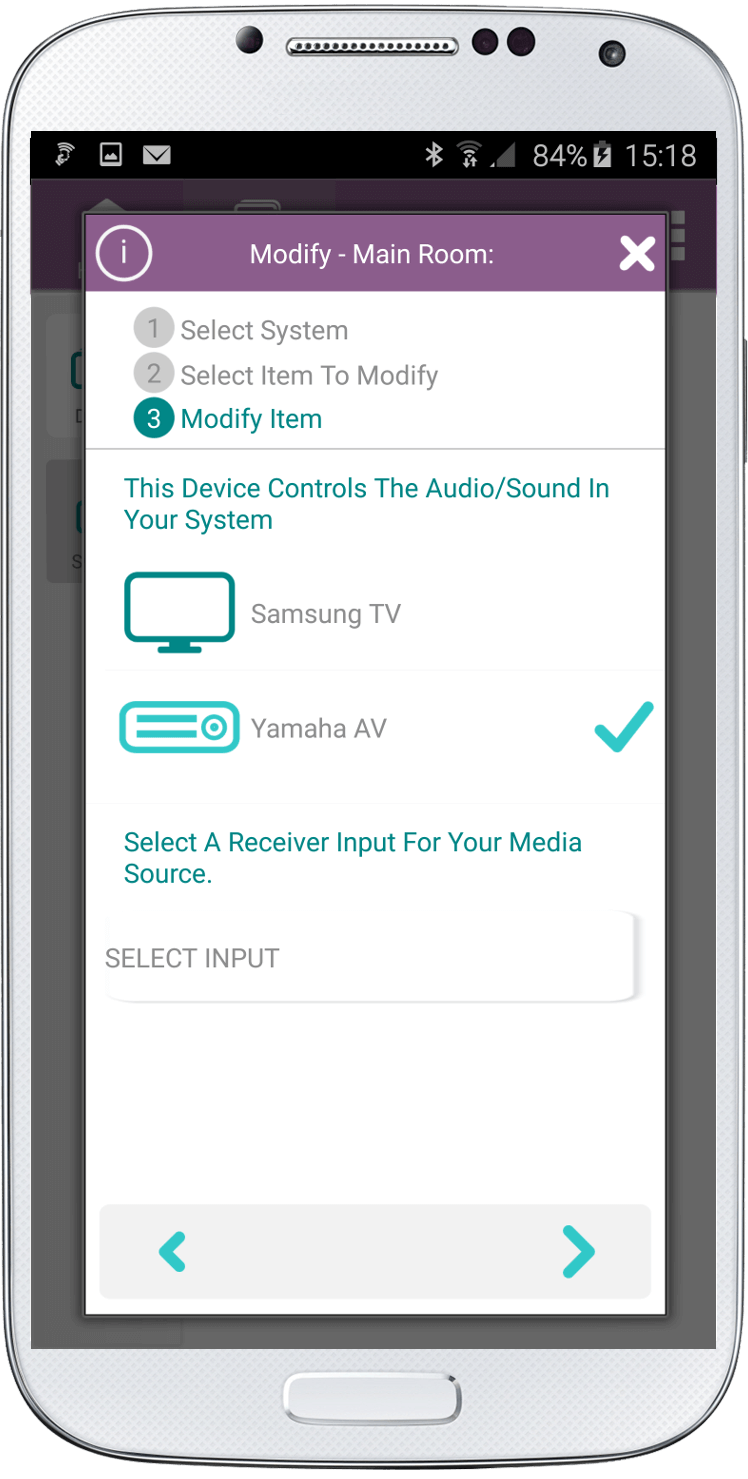
If you select an AV Receiver you will be required to select an INPUT. Click the “SELECT INPUT” button.
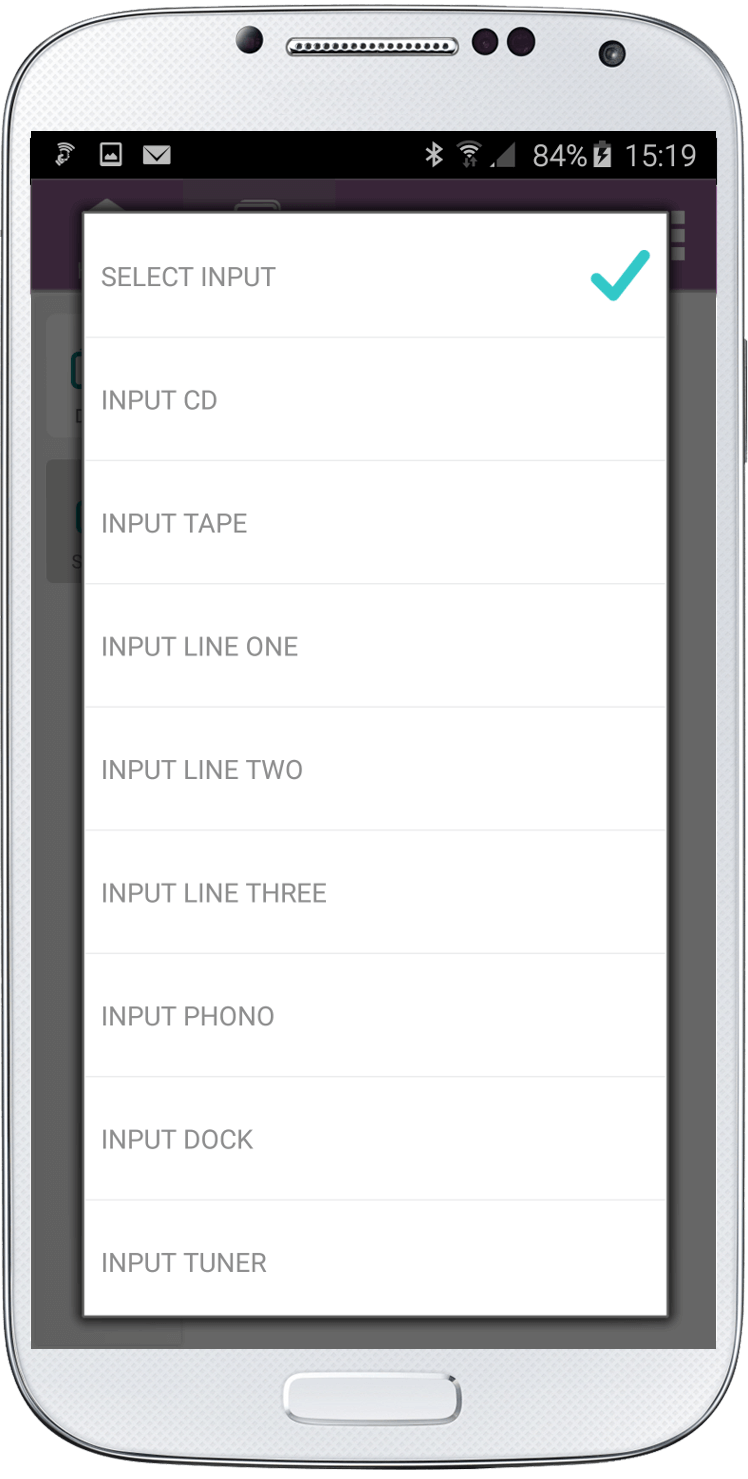
Then select the input type.
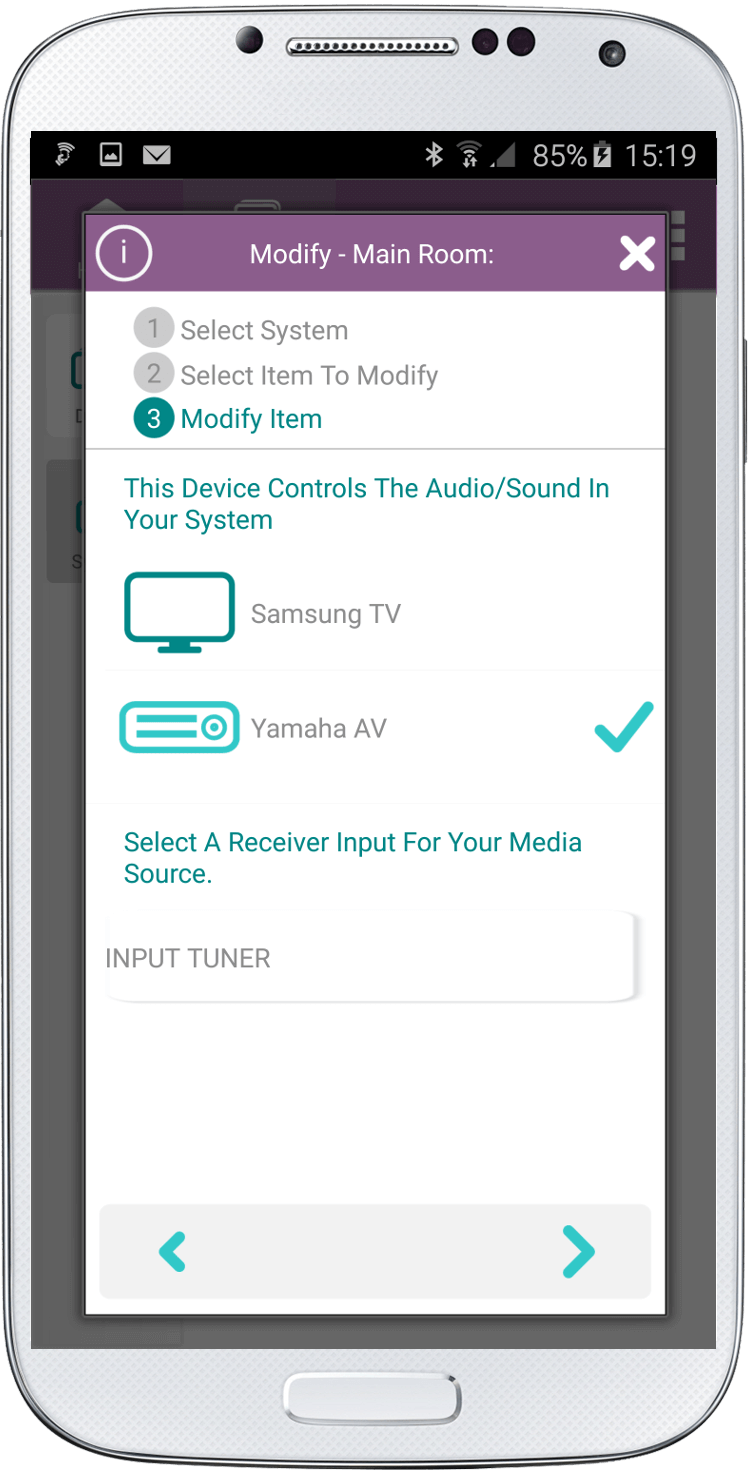
Once you return to the main Audio/Sound screen click the right arrow.
11. Click the check at the bottom of the screen on the Modify System screen and wait for the magic. (It will take a few seconds)
Congratulations! Your system is now setup just the way you want!
Social
关注我们