

Step-by-Step Instructions to Stream Photos and Videos via Your SURE Universal Remote to Your TV
One of the unique features SURE Universal Remote offers is that you can stream photos and videos directly from your phone to your smart TV or you can stream to your non-smart TV via your media streamer.
If you haven’t added a WiFi device yet to SURE Universal learn how here.
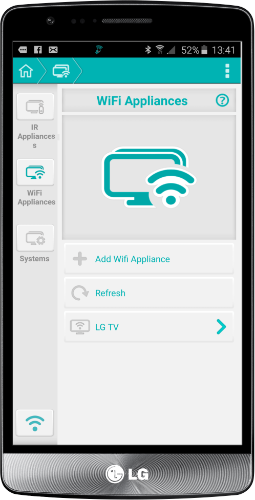
1. Find the WiFi appliance you wish to use, either your Smart TV or your media streamer.
2. Find and click the “media sharing” or “casting” icon in the bottom panel. See it in the screenshot below. If you don’t see it you can slide the bottom slidebar to discover additional panels.
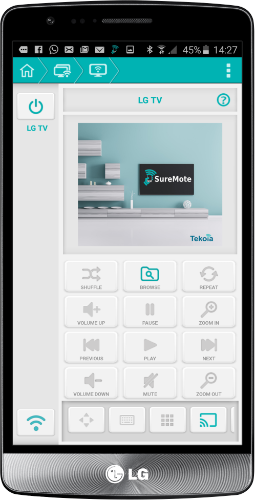
3. Click the Browse icon in the middle of the screen.
4. Find the photos or videos. Either select individual files or “Select All”.
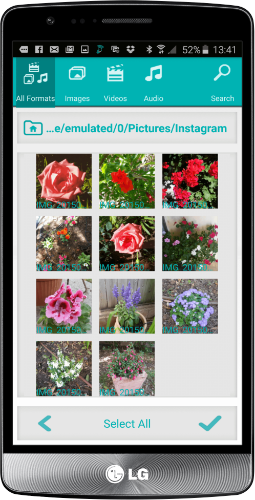
6. Wait for a second and the photos or videos will appear on your TV.

7. All is left is to invite your family and friends to see your new photos and videos 🙂
Social
关注我们