

Step-by-step Instructions to Setup Your SURE Universal Remote for WiFi Appliances
The SURE Universal Remote supports both WiFi and IR devices.
SURE can be downloaded on all Android IR devices, such as: Galaxy, Samsung, LG etc.
Once you have downloaded the SURE Universal Remote control you can add your WiFi devices:
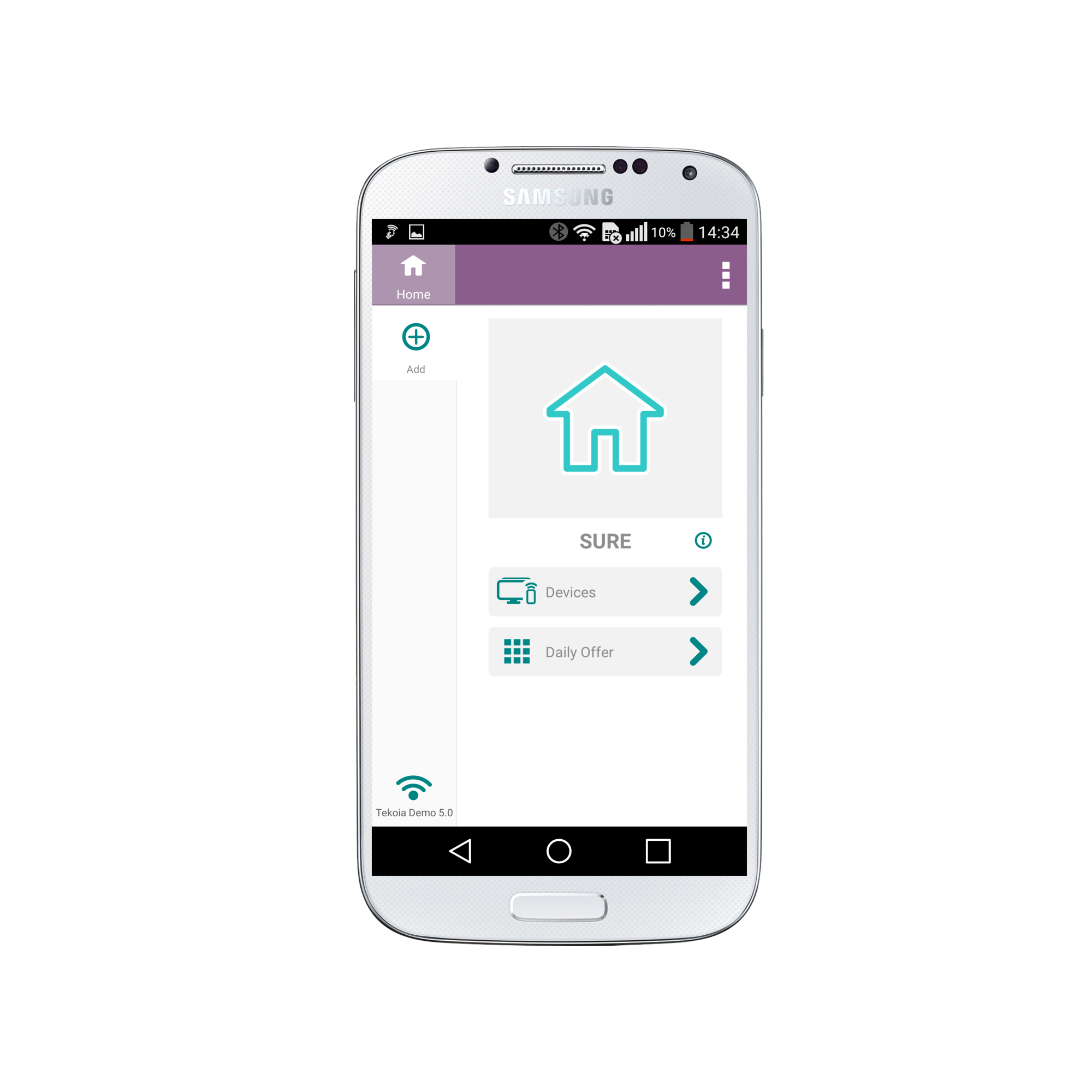
1. Click “Add” on the Home Screen in the upper left corner.
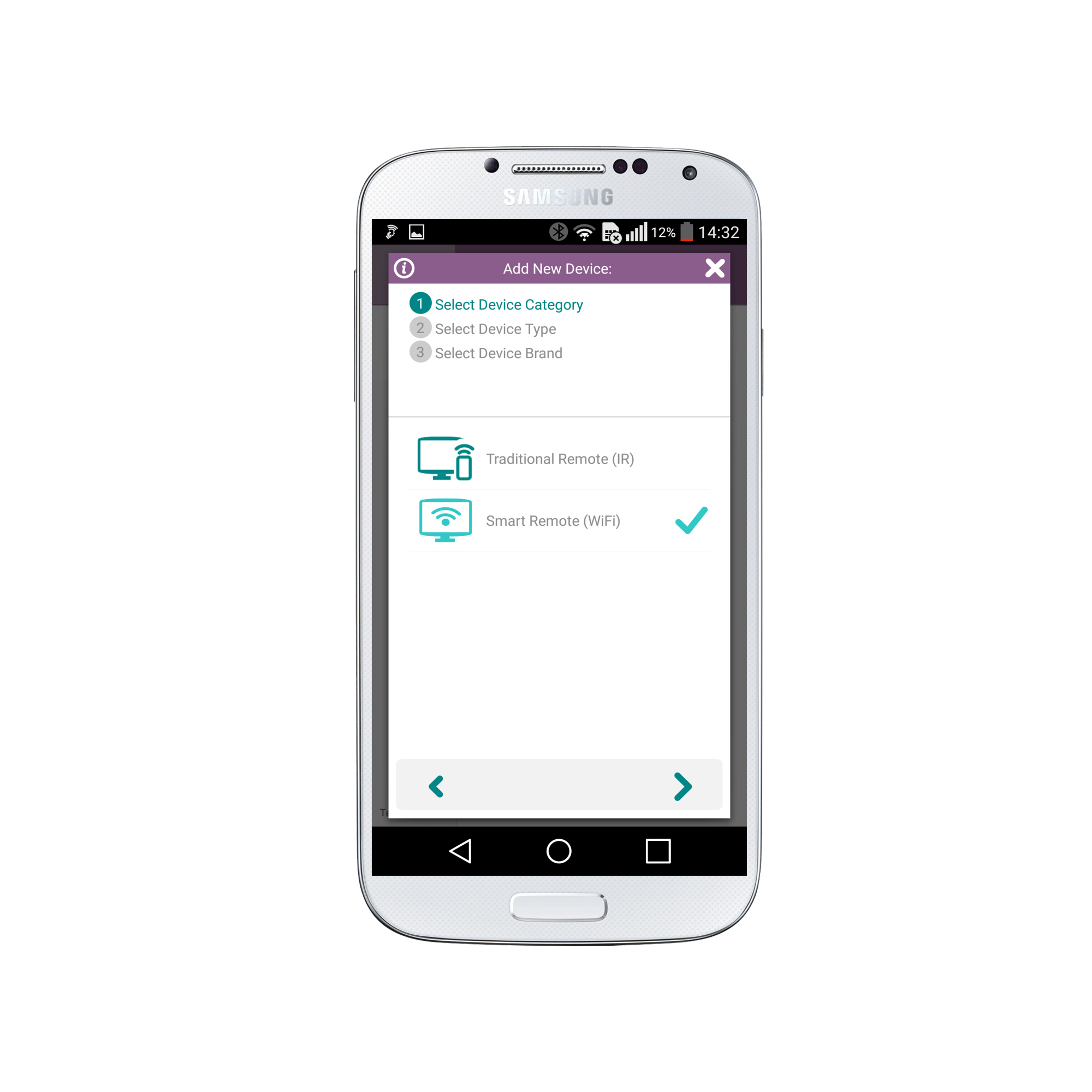
2. Select WiFi Device. Click the right arrow at the bottom of the screen.
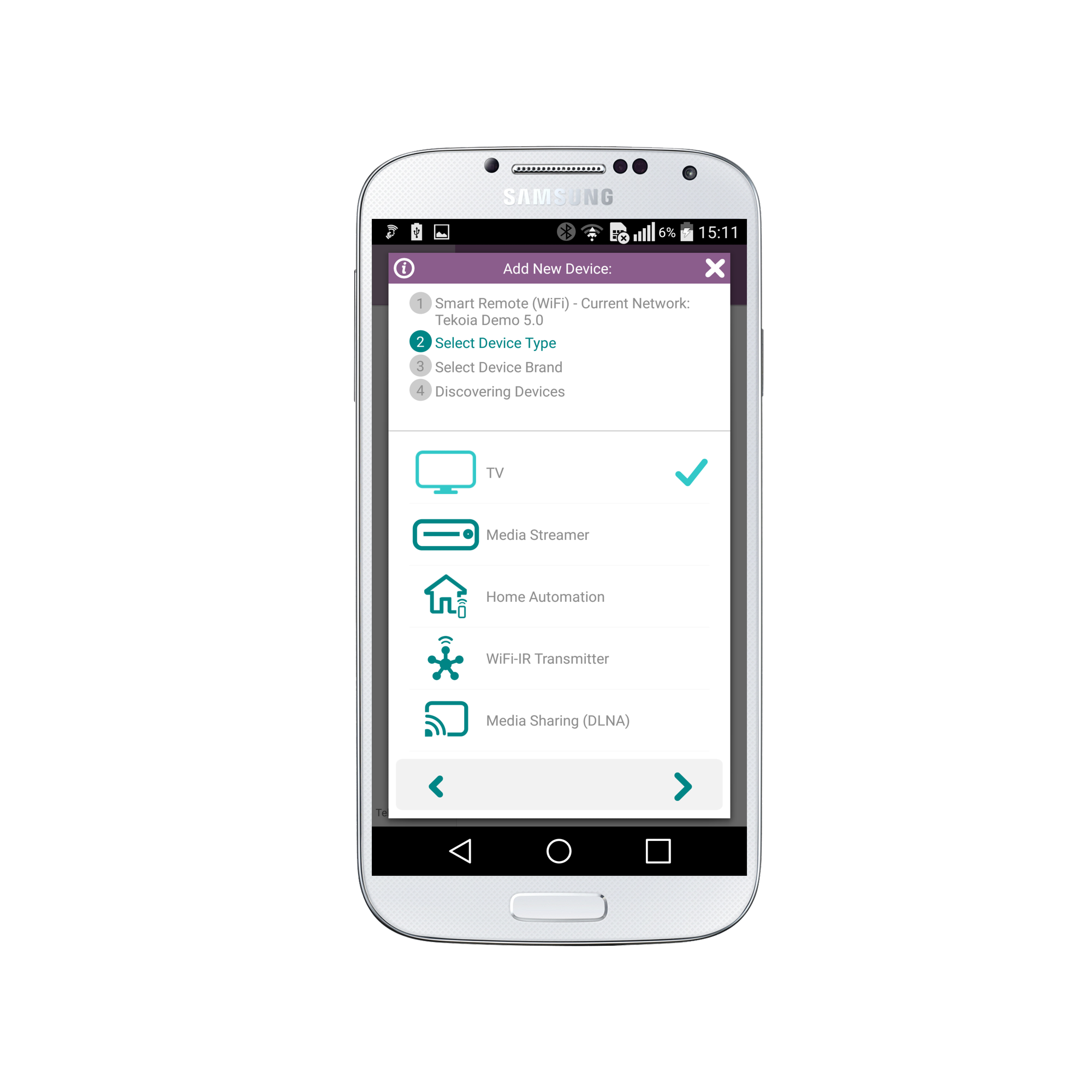
3. Select the Device Type. This can be either TV, Media Streamer, Home Automation, WiFi-IR Transmitter, or Media Sharing (DLNA).
Then click the right arrow at the bottom of the screen
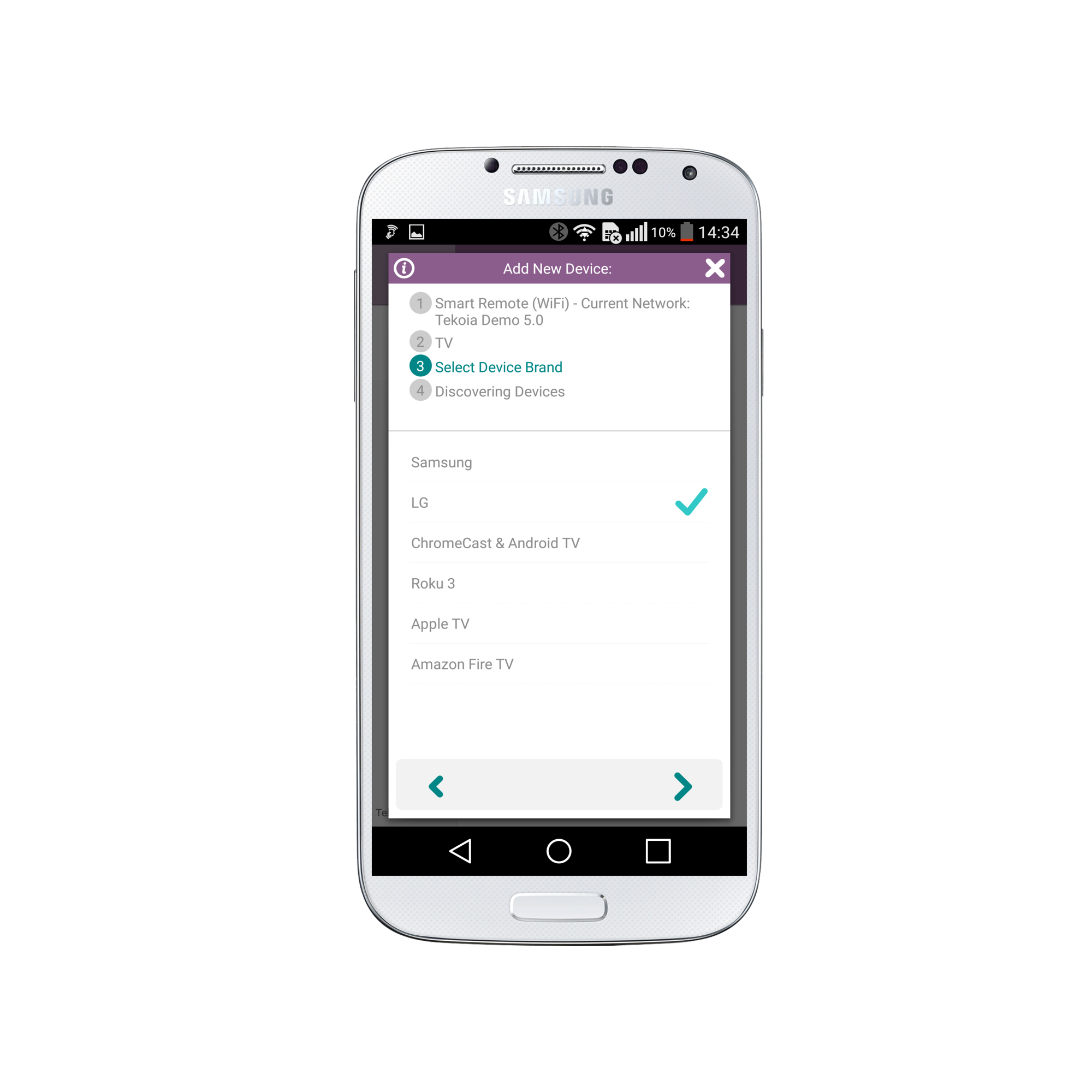
4. Select the Device Brand. If we are missing your brand please let us know via this form.
Click the right arrow at the bottom of the screen
5. Please wait for a few seconds while we discover all the devices that meet the criteria in our database.
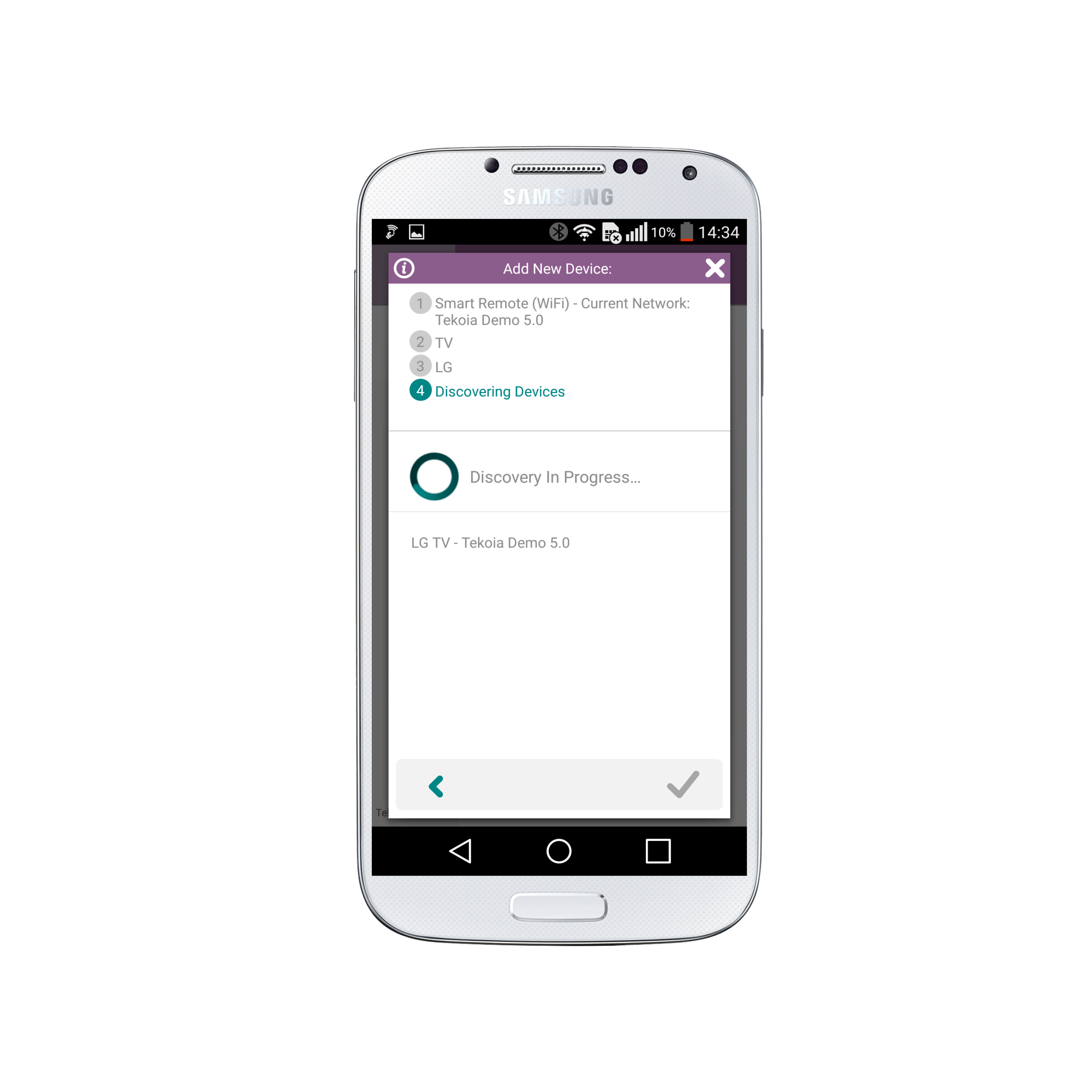
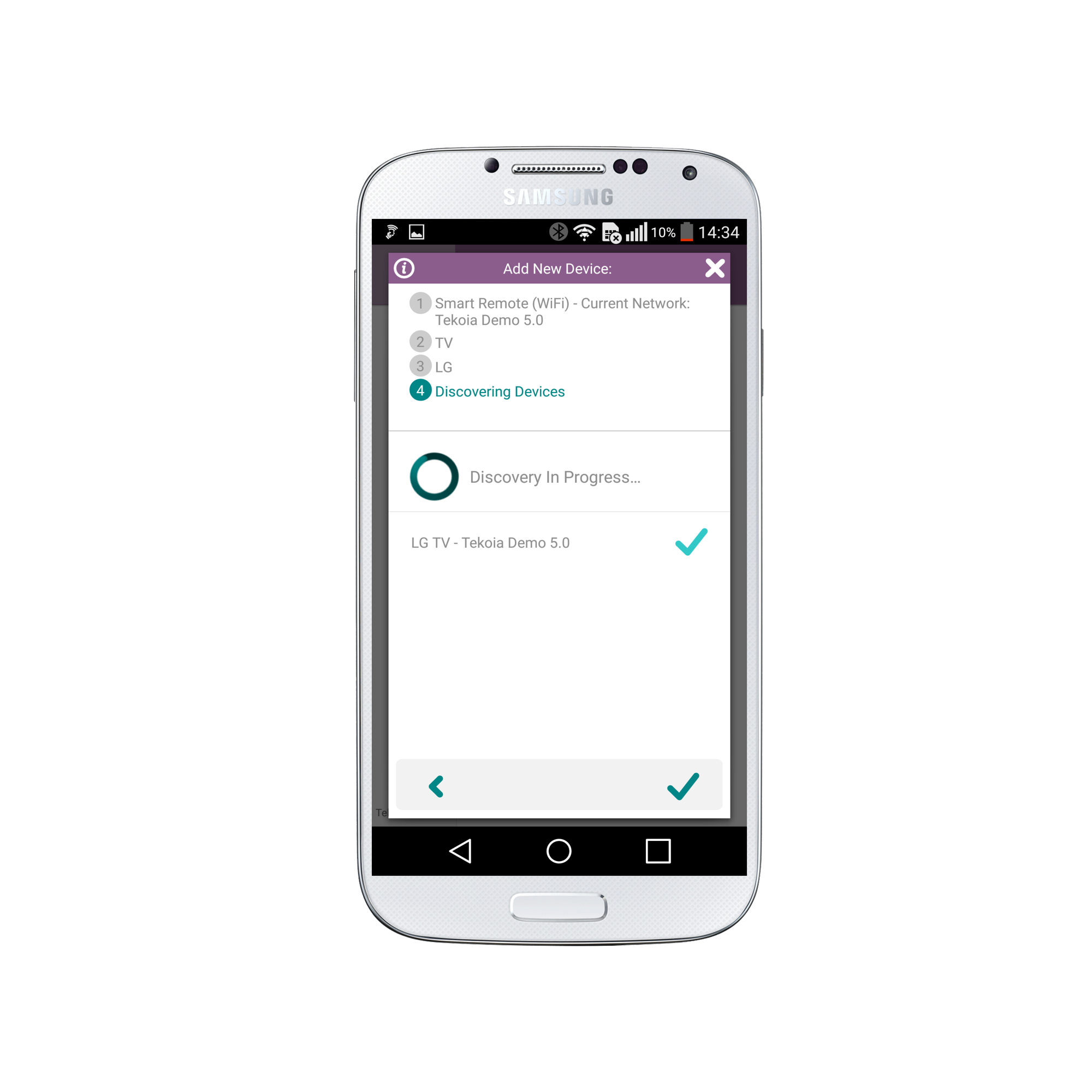
Once the device is discovered, select the device AND click the check on the right bottom of the screen.
7. Congratulations. Your new device will now appear as below:
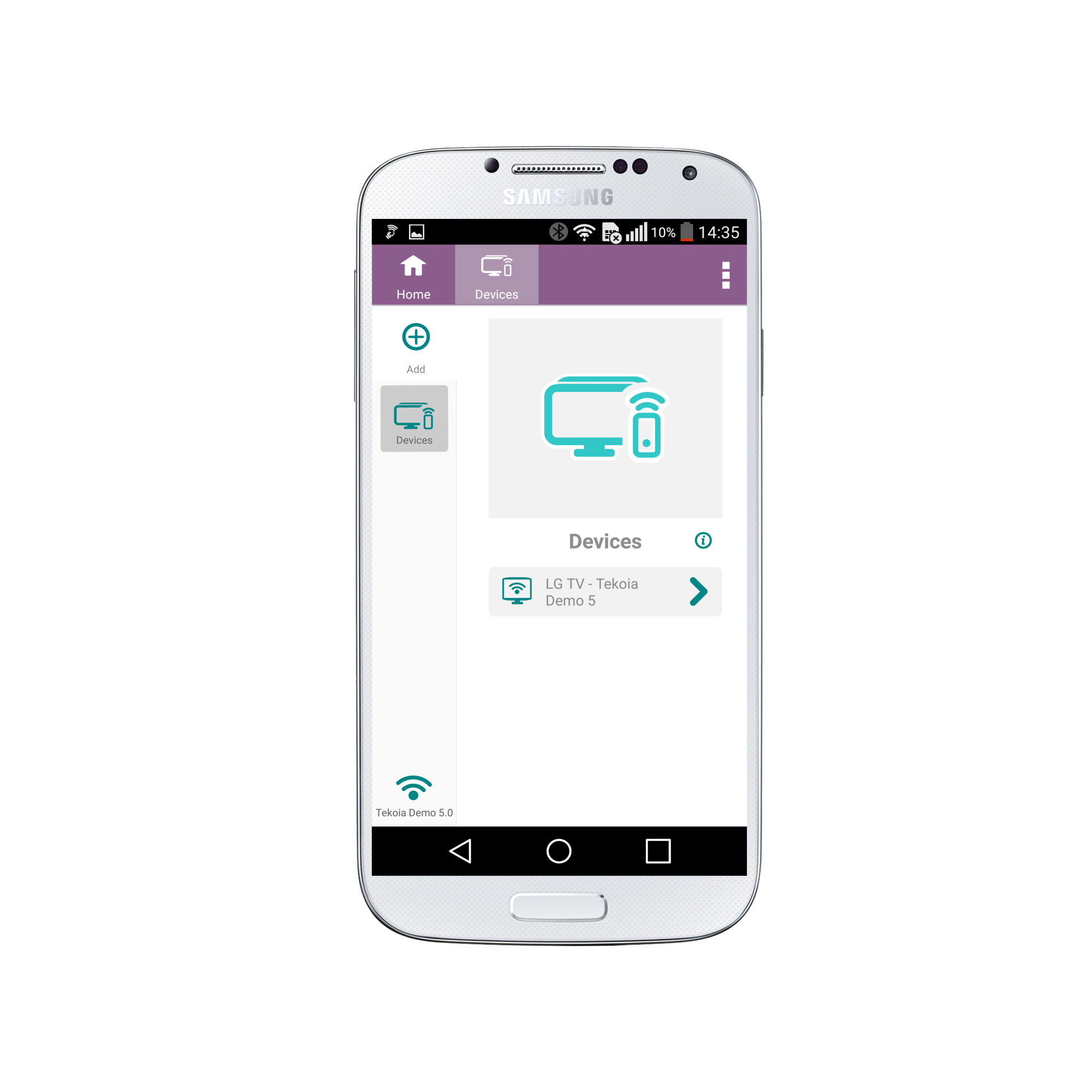
8. To access your remote simply click on the device name.
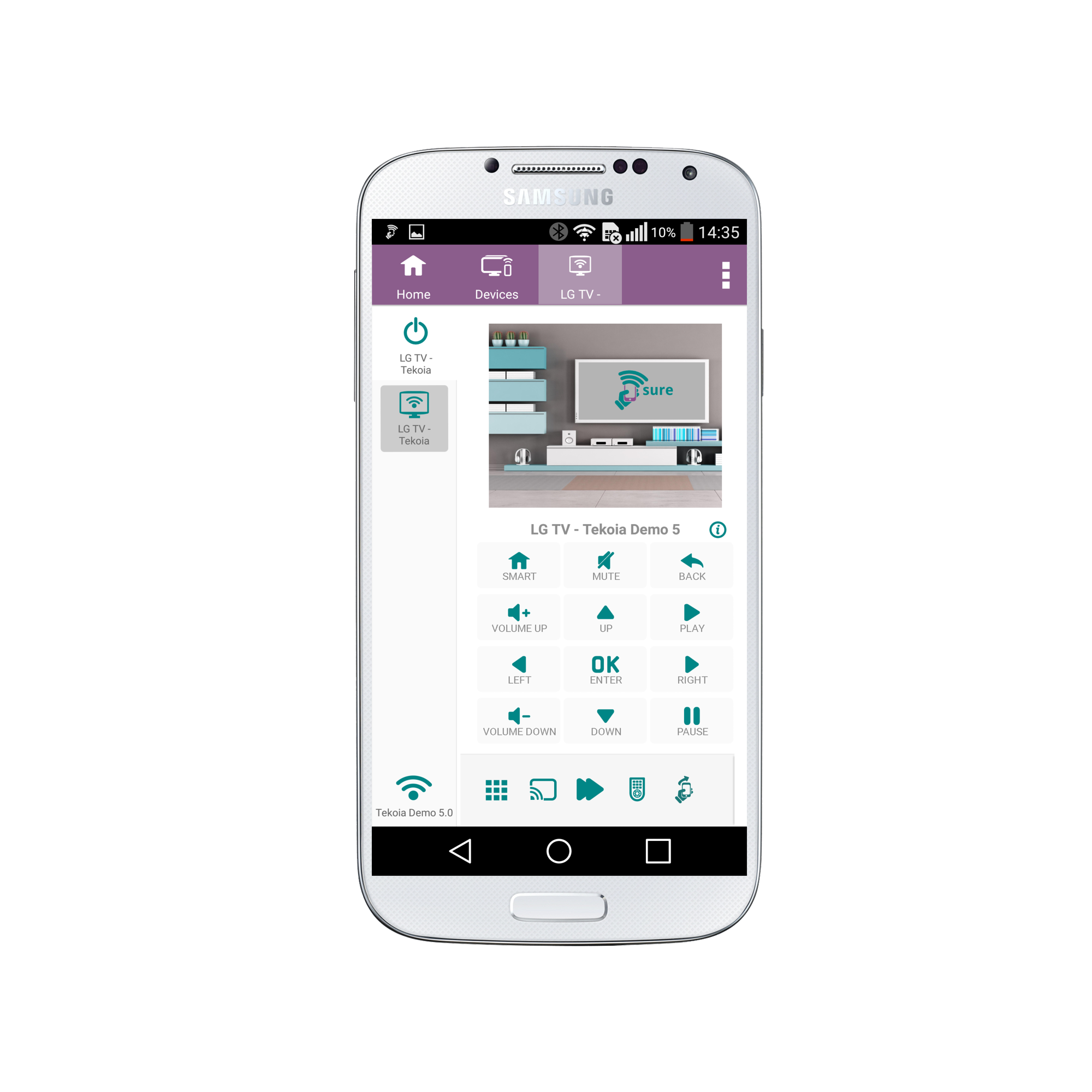
Now you are ready to add additional WiFi devices or you can now add your IR devices.
If you have multiple devices that you use together, such as a home cinema, you can set these up in one SURE System. This will enable you to turn them all on and off with one click.
Social
关注我们